

Win back abandoned carts
Updated 20 October 2026 · Owners and managers (staff can view)An abandoned cart is a checkout a shopper started but didn’t pay for. Abandoned carts shows you who left, what was in their cart, and whether a reminder brought them back.
What counts as an abandoned cart
A cart shows up here when a shopper starts checkout and leaves without paying. Usually they’ve given their email, so you can remind them. If they left before giving one, the cart is marked Can’t contact. A cart counts as Recovered when the shopper pays within 7 days of leaving.
The Carts tab
Open Abandoned carts in the menu. Four numbers at the top cover the last 14 days:
- Abandoned checkouts, and how much money was left behind.
- Reminders sent, and how many shoppers could be reached.
- Recovered, as a share of the carts you could reach.
- Recovered sales, and how many shoppers used a reminder code.
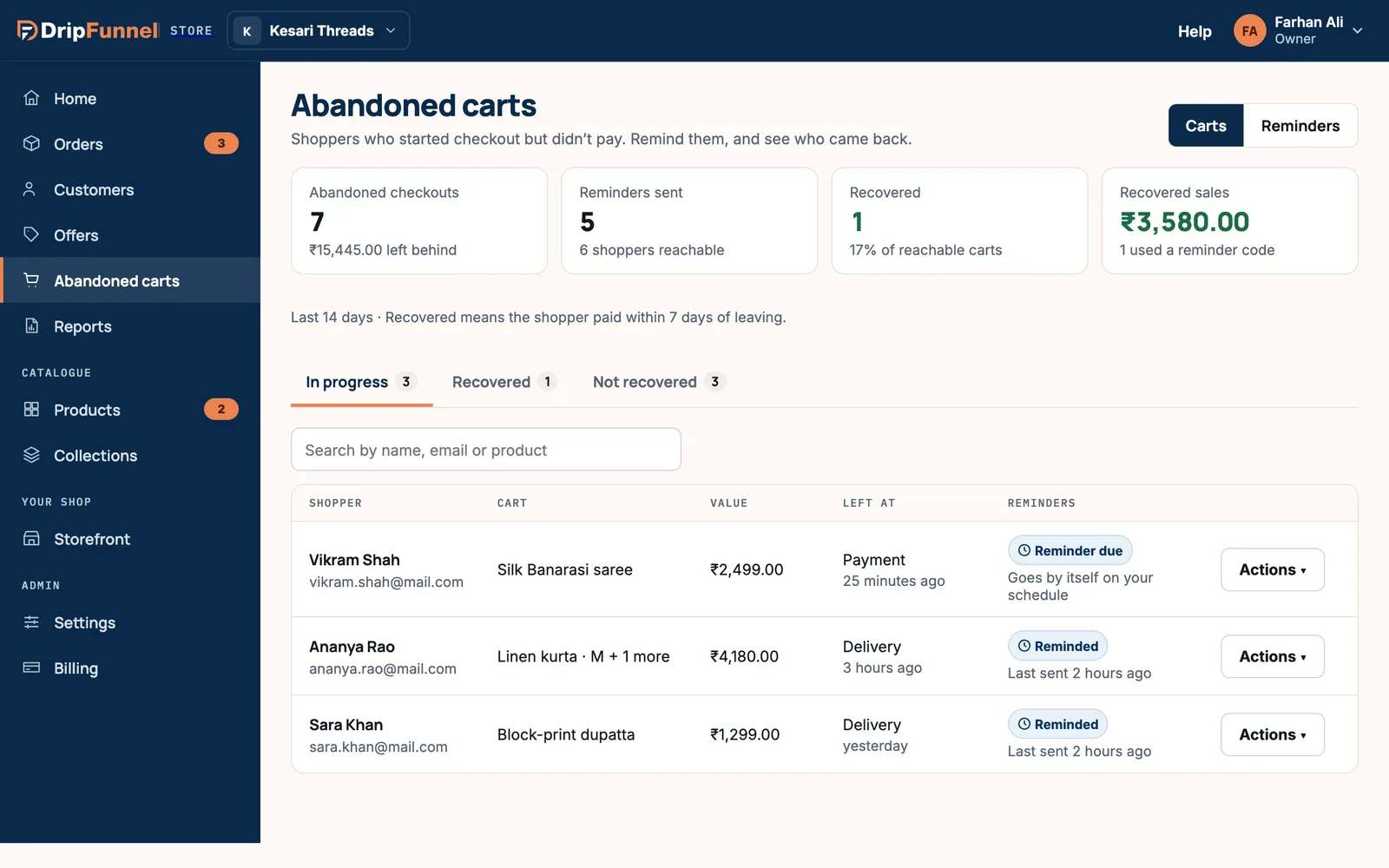
Below them, three tabs: In progress, Recovered and Not recovered. Search by name, email or product. Each row shows:
- Shopper: name and email (or “Guest shopper” and “No email given”).
- Cart: the first item and how many more.
- Value: what the cart is worth.
- Left at: the checkout step they stopped at (contact details, delivery or shipping, or payment) and when.
- Reminders: what’s happened, for example Not contacted, Reminder due, Reminded, Recovered, Stopped, Can’t contact or Skipped, with a line explaining it.
Look at one cart
Press Actions › View cart, or click the row. The cart page shows:
- In the cart: each item, how many, and whether it’s still in stock, with the cart’s value before delivery and tax.
- What happened: a timeline, such as “Left checkout at Delivery”, “Reminder 1 sent by email” and “Came back to the cart”.
- Shopper: their email, phone and how many reminders they’ve had.
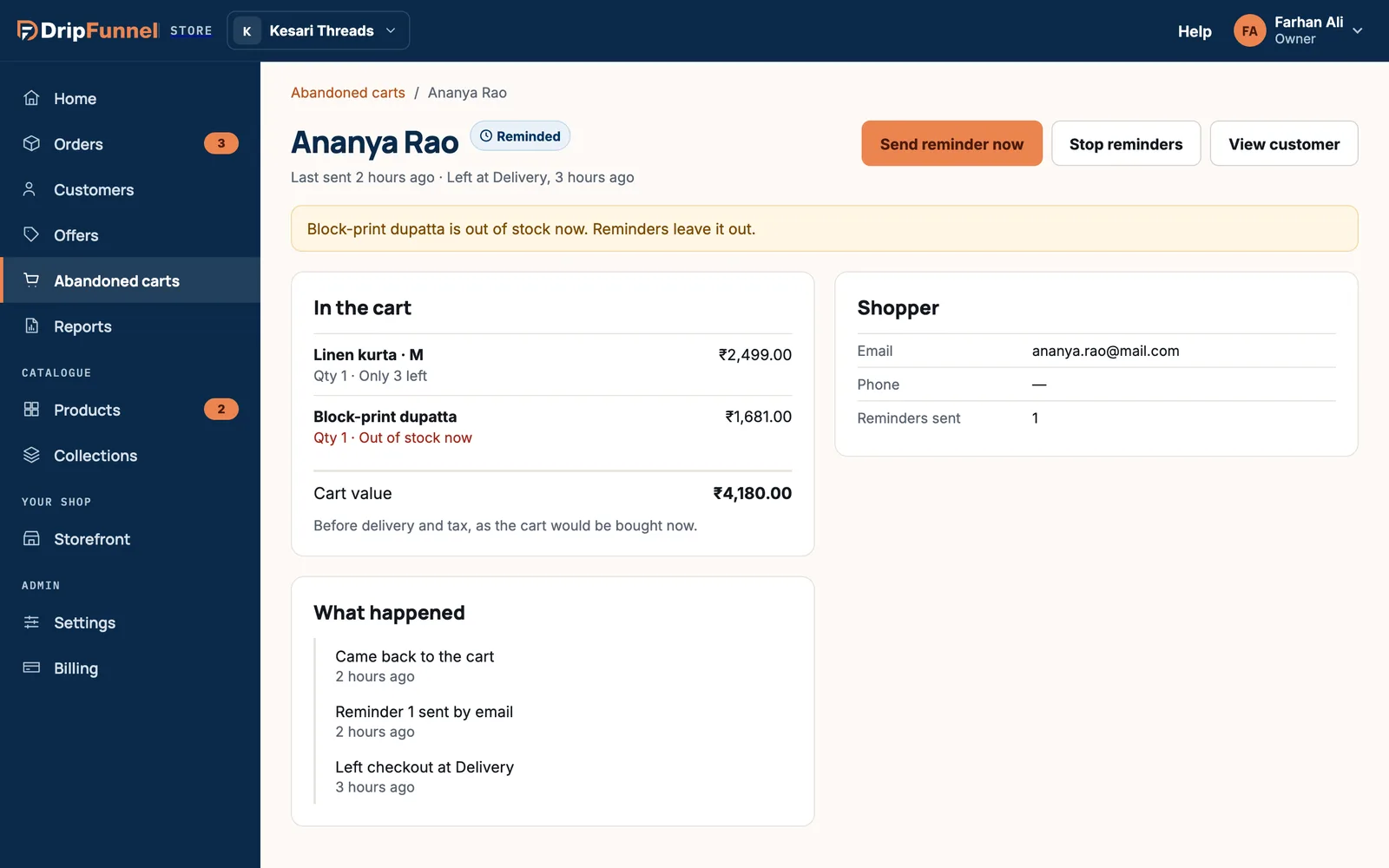
If something in the cart is out of stock now, reminders leave it out. If everything is out of stock, no reminder goes out until you restock.
Send a reminder now
- Open the cart, or use Actions on its row, and press Send reminder now.
- Check the email address. On plans with automatic reminders you can also choose a Discount: no discount, or 10% off with a single-use code that works once, for 48 hours.
- Press Send reminder. You’ll see “Reminder sent to…”.
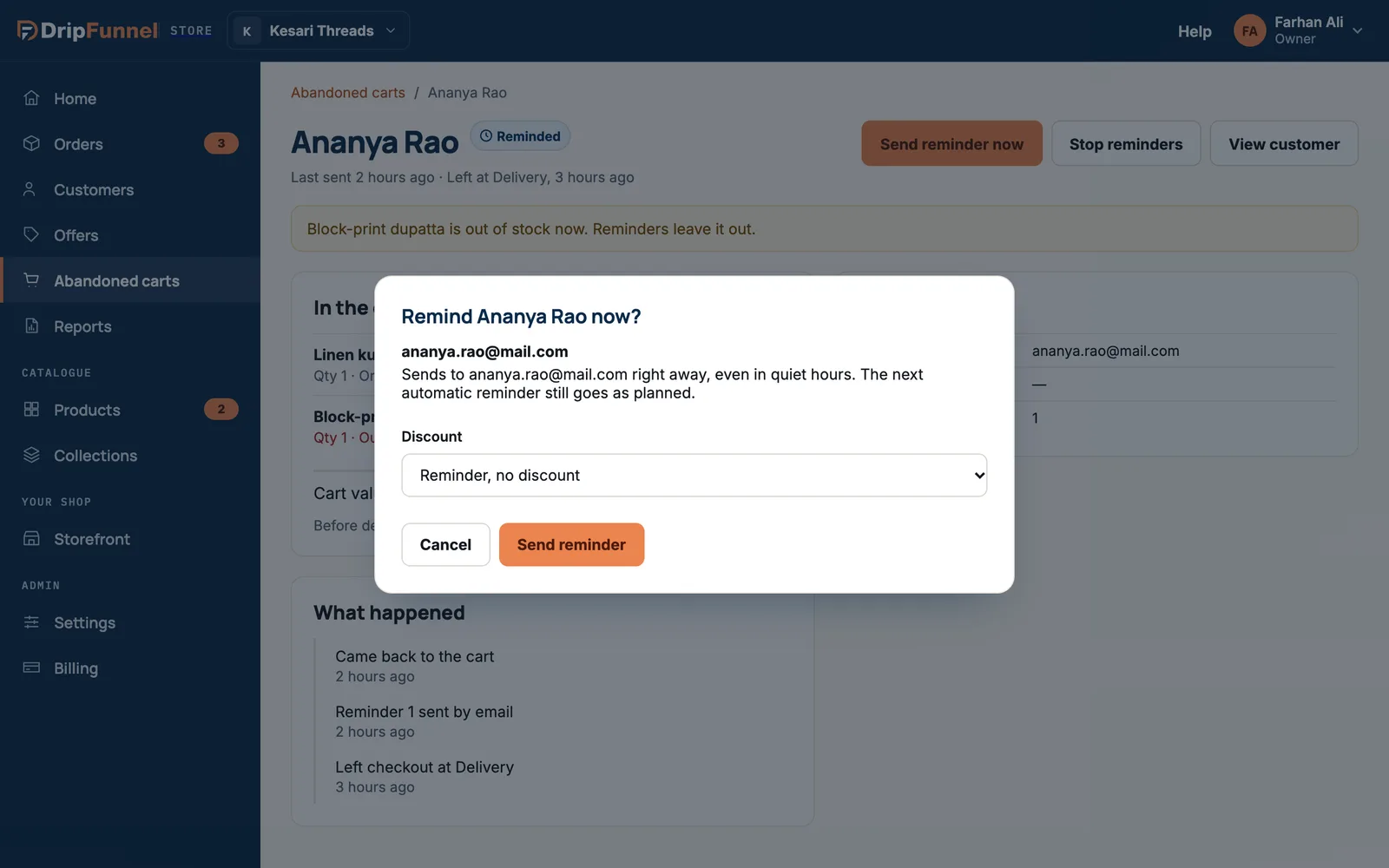
A reminder you send yourself goes by email, straight away, even in quiet hours. Any automatic reminder still goes as planned.
Stop or resume reminders for one cart
- Press Stop reminders when a shopper has told you they don’t want them, or is ordering another way. You can add a Note for your team (optional), for example “Called us, ordering by phone”.
- Press Resume reminders to pick the schedule up again.
Why a cart wasn’t reminded
The line under the status explains it. Common reasons: the shopper left before giving an email, the cart is under your minimum value, the shopper was already reminded about another cart this week, everything in it is out of stock, or their email address doesn’t accept mail. You set most of these rules on the Reminders tab: see Set up cart reminder emails.
Questions
Can staff send reminders?
No. Staff can see carts, but only the owner or a manager can send or stop reminders.
Do reminders go by WhatsApp?
Reminders you send yourself always go by email. Automatic reminders can go by WhatsApp for shops in India on plans with automatic reminders, to shoppers who agreed to WhatsApp messages.
How long is a cart kept?
A cart counts as recovered if the shopper pays within 7 days of leaving. After that it moves to Not recovered.
Can I see carts from shoppers who never gave an email?
Yes, they’re listed as guest shoppers, but they show Can’t contact because there’s no email to send a reminder to.