

Add an app to your store
Updated 20 October 2026 · OwnersAn app is a program that runs on its own website and works with your store, for example an accounting or stock-counting tool. You install it from a link the developer gives you, and it only gets the access you approve.
Before you start
- Apps are in Settings › Apps. Only the store owner can open Settings.
- There’s no app store yet. You need an install link from the app’s developer. It starts with https://.
- Apps can only see your data. They can never change anything in your store, or see your payment details or passwords.
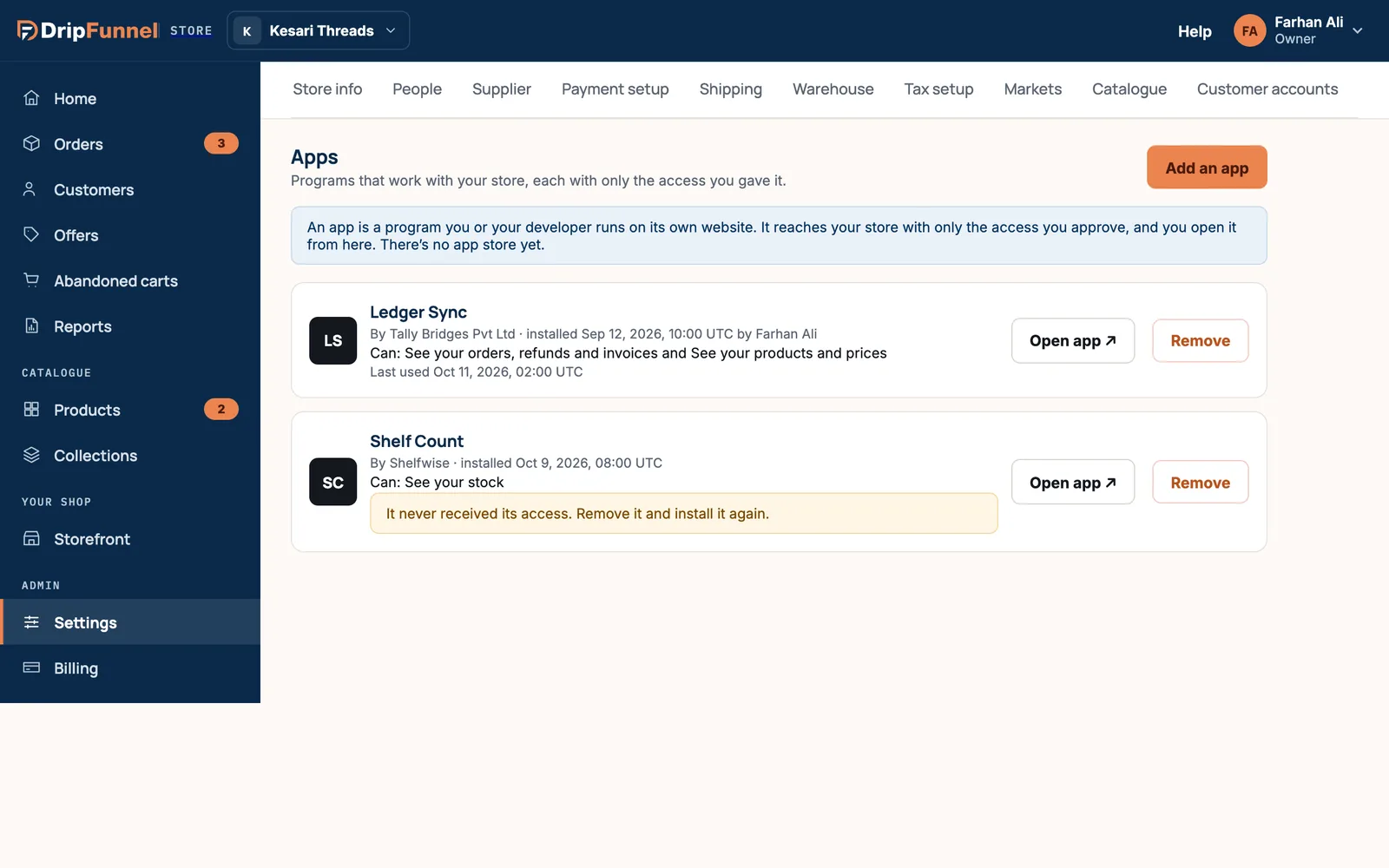
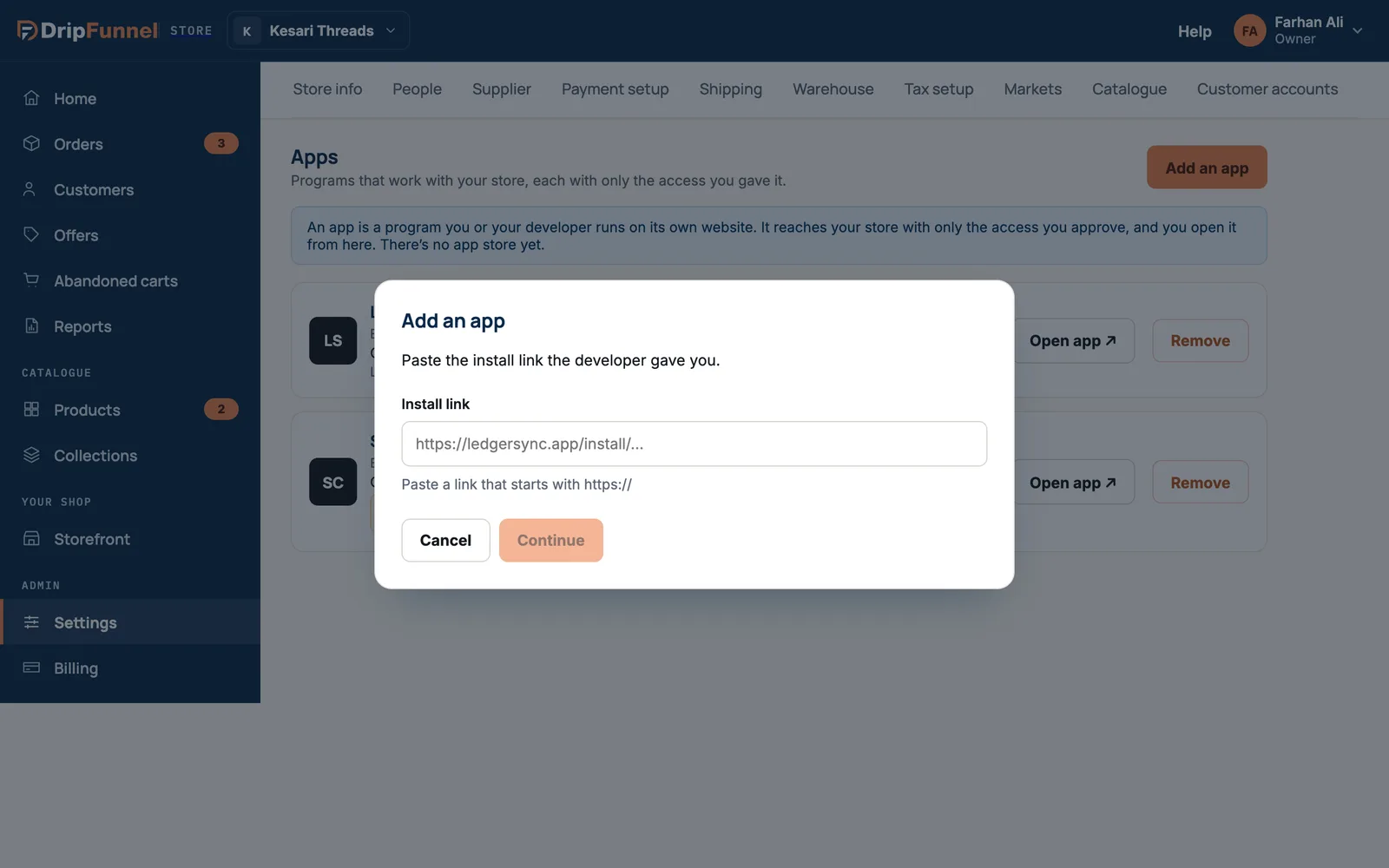
Install an app
- Press Add an app.
- Paste the Install link the developer gave you, and press Continue.
- Read the consent card, Install [app name]?. It lists what the app will be able to see (for example your products and prices, your stock, your orders, refunds and invoices, or your customers) and what it won’t be able to do.
- If you’re happy, press Install. You’ll see “[app name] installed. Open it to finish setting it up.”
- Press Open app ↗ to finish setting it up on the app’s own website.
Your installed apps
Each app shows who made it, when and by whom it was installed, what it can see, and when it last reached your store. You may also see:
- “Still handing it its access. Open it in a few minutes.”: wait a moment.
- “It never received its access. Remove it and install it again.”
- “Paused by your platform”: the app can’t reach your store until it’s allowed again. Contact support if you need it.
Remove an app
- Press Remove on the app, then Remove app.
- Its access ends straight away.
Anything the app already copied stays with it. Ask the developer to delete your data if you no longer use the app.
Questions
Is there an app store?
Not yet. You install apps from a link given to you by the app’s developer.
Can an app change my products or prices?
No. Apps can only see what the consent card lists. They can never change your store or see payment details or passwords.
The app asks for different access than before. Why?
If an app’s access changes, the portal asks you to look again before installing. Read the new list and install only if you’re happy with it.