

Close your store
Updated 20 October 2026 · OwnersYou can close your store from Billing at any time. Before you do, you can download your data, or move to Starter (Free) and keep a small shop online at no cost instead.
Before you close: consider Starter (Free)
Starter (Free) keeps a real shop with 10 products online for as long as you like, and we never take a fee on your orders. Your other products are paused, not deleted, so you can come back later. See Choose what to keep on a smaller plan.
Close your store
- Open Billing and press Close my store… near the bottom.
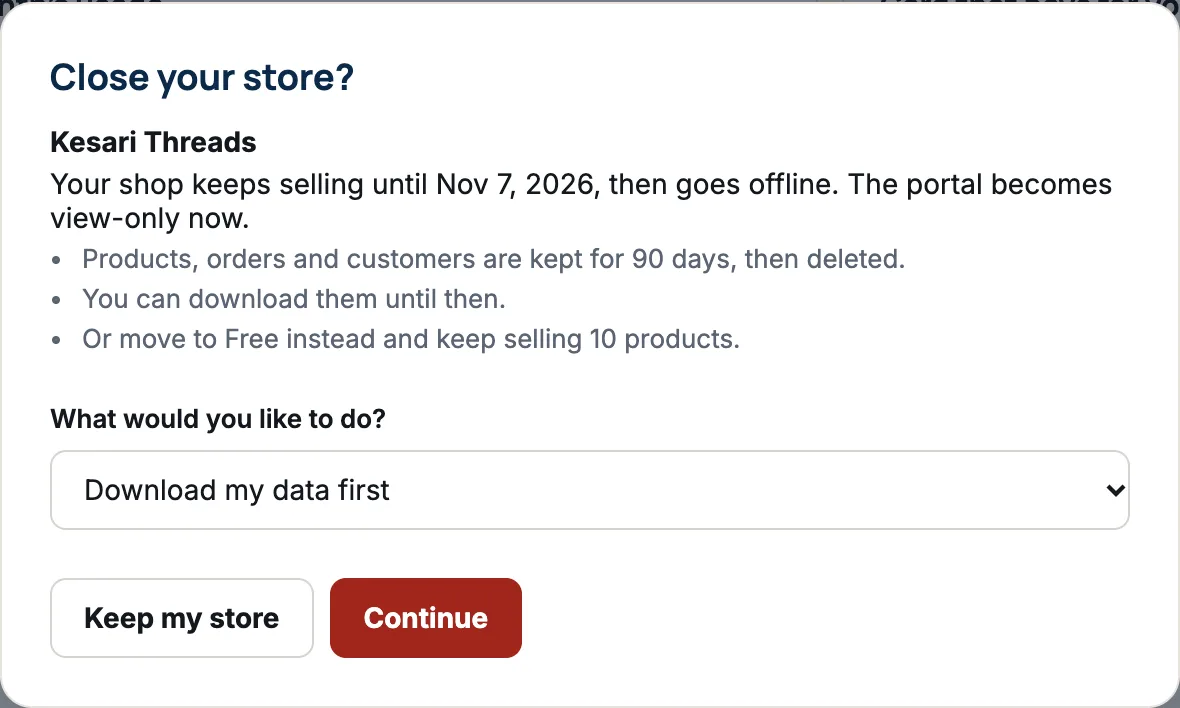
- Read the box. It tells you when your shop goes offline and how long your data is kept.
- Under What would you like to do?, choose one: Download my data first, Move to Free instead, or Close my store.
- Press Continue. Or press Keep my store to leave without changing anything.
What happens when you close
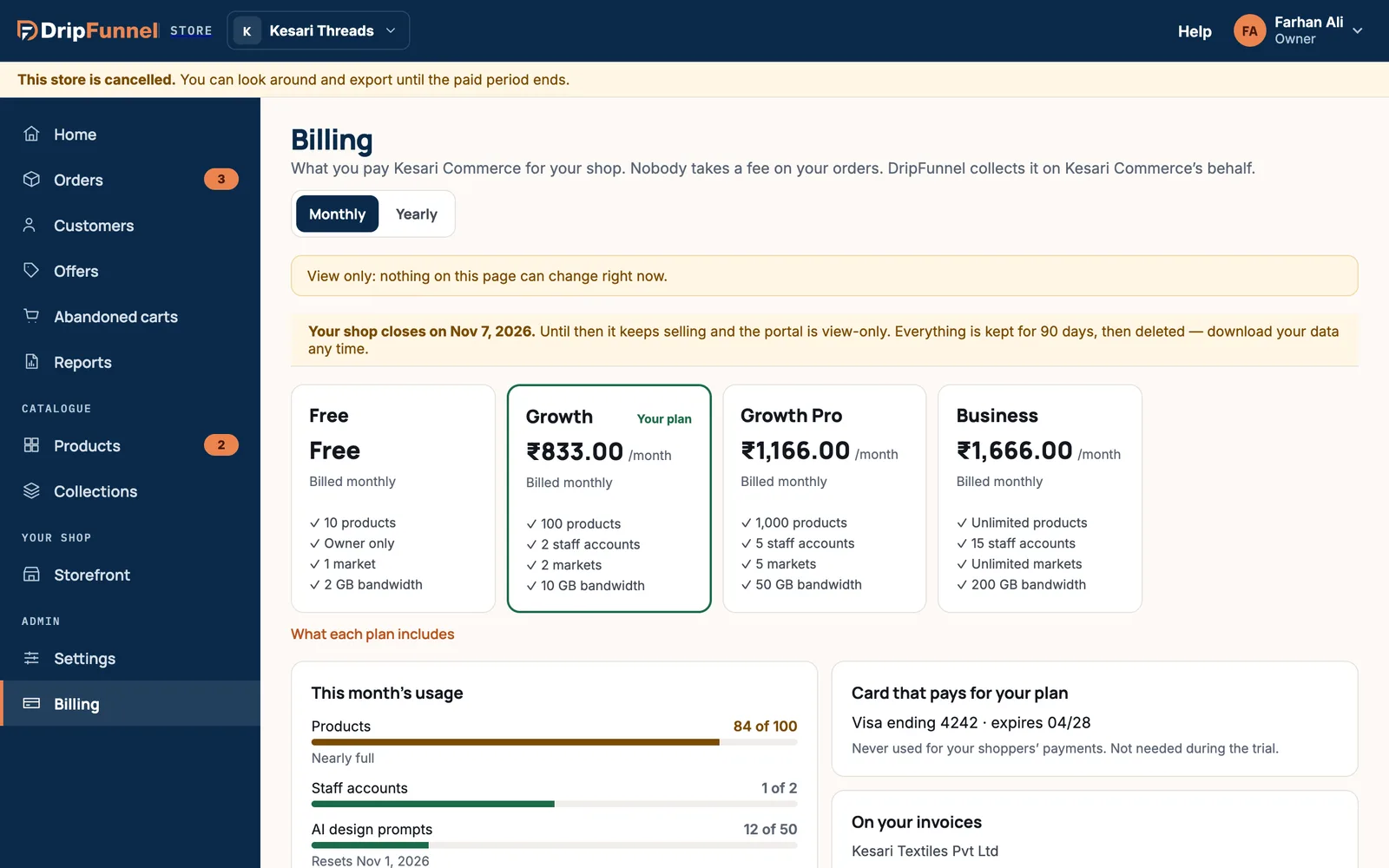
- On a paid plan, your shop keeps selling until the end of the period you’ve paid for, then goes offline. The portal becomes view-only straight away.
- During the trial or on Starter (Free), your shop goes offline now and the portal becomes view-only.
- Your products, orders and customers are kept for 90 days, then deleted. You can download them until then.
- Billing shows “Your shop closes on” and the date, with Download my data.
Closing can’t be undone from the portal. If you change your mind, contact support as soon as possible.
Download your data
Choose Download my data first, or press Download my data on the closing strip. We prepare three spreadsheet files (CSV): Products, Orders and Customers, each with how many rows it holds. Press Download on each. You can do this until your data is deleted.
Questions
Do I get a refund for the rest of my paid period?
Your shop keeps selling until the end of the period you’ve paid for, so you get the time you paid for.
Can I reopen my store later?
Closing can’t be undone from the portal. Contact support as soon as possible if you change your mind, while your data is still kept.
What happens to my own domain?
Your shop stops answering on it when it goes offline. Your domain stays yours, at the company you bought it from.
Can my manager close the store?
No. Only the store owner can close the store.