

Choose what to keep on a smaller plan
Updated 20 October 2026 · OwnersA smaller plan holds fewer products. Before you move to one, you choose which products stay on sale. The rest are paused: hidden from shoppers but kept exactly as they are, ready to come back when you upgrade.
When you use this page
- Your trial is ending and you’re moving to Starter (Free): press Choose what to keep on the banner, or Or choose what to keep on Free on Billing.
- You’ve scheduled a move to a smaller plan: press Choose what to keep on the strip on Billing.
- You’re closing your store but chose Move to Free instead.
- You’re already on a smaller plan and want to swap which products are on sale.
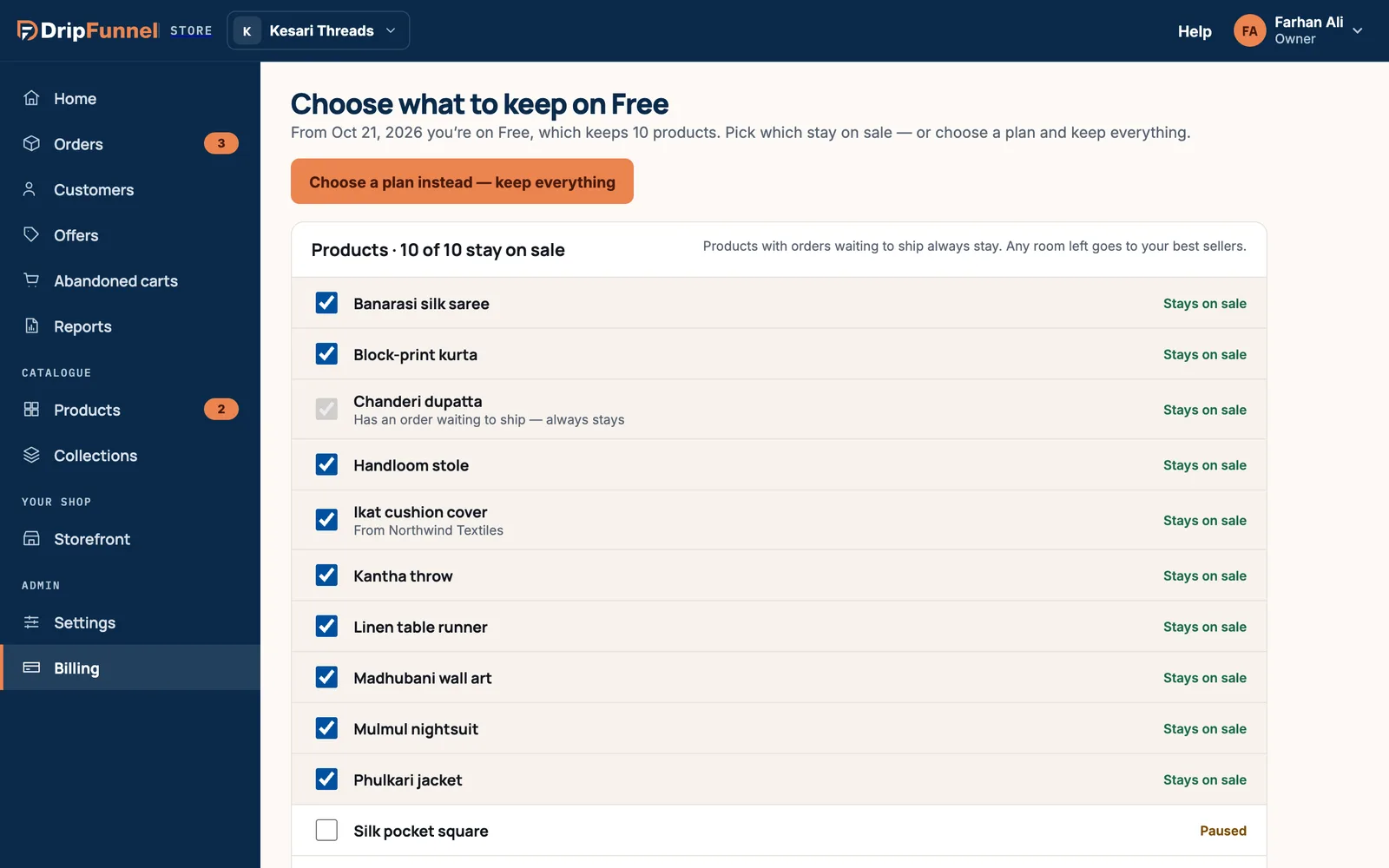
Step by step
- Read the line at the top. It says which plan you’re moving to, from when, and how many products it keeps.
- Look at the list under Products. The heading shows how many stay on sale, for example “10 of 10 stay on sale”.
- Tick the products you want to keep on sale. Untick the ones to pause. Each row says Stays on sale or Paused.
- If you tick more than the plan allows, you see a message such as “Free keeps 10 products — untick one first.” Untick another product, then tick the one you want.
- Press Show more to see more products.
- Press Keep these from and the date, or Save what’s kept if you’re already on the plan.
Rules to know
- Products with an order waiting to ship always stay on sale. Their tick box is locked, marked “Has an order waiting to ship — always stays”, so you can finish those orders.
- If you don’t choose, any room left goes to your best sellers.
- Products from a supplier show “From” and the supplier’s name. They count towards the limit like your own.
- This page covers products only. Other limits, such as staff accounts, follow the plan.
What “paused” means
Nothing is deleted. Paused products are hidden from shoppers and kept as they are, with their photos, prices and stock. Choose a bigger plan any time and they come back exactly as they were.
Changed your mind?
Press Choose a plan instead — keep everything to go back to Billing and pick a plan that holds all your products. If your plan already holds everything, you see “Nothing to choose”.
Questions
Will shoppers see paused products?
No. Paused products are hidden from your shop until you upgrade.
Can I change which products are kept later?
Yes. Come back to this page at any time and swap products, then press Save what’s kept.
What happens to orders for a paused product?
Products with orders waiting to ship always stay on sale, so you can finish every order.