

Go back to an earlier version
Updated 20 October 2026 · OwnersEvery publish is saved as a numbered version. You can put an earlier version back live in one step, and it doesn’t use build minutes or AI requests.
Before you start
- Only the store owner can go back to a version.
- Going back changes your design. Your products, prices, stock and orders stay as they are now.
- To undo a change you haven’t published yet, use Undo this change or Discard in the studio instead. See Describe a change to your storefront.
Go back to an earlier version
- In the portal, open Storefront and choose the Site settings tab.
- Find Version history on the right. Each row shows a version number, a label and the date it was published. The label is your last request for that version, or the template’s name. The one shoppers see now is marked Live.
- Press Go back to this on the version you want.
- You’re asked “Go back to version 11?” Press Go back.
- You see “Version 11 is live again”. Shoppers see it within a minute or two.
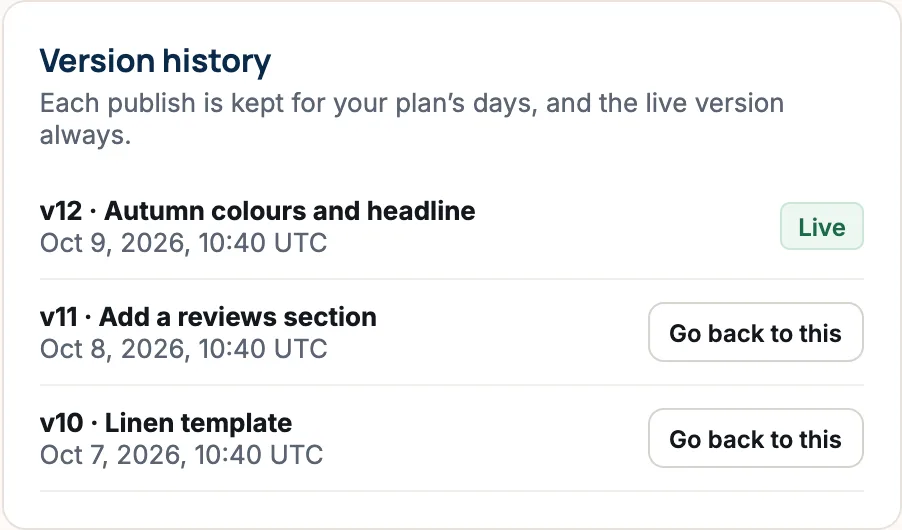
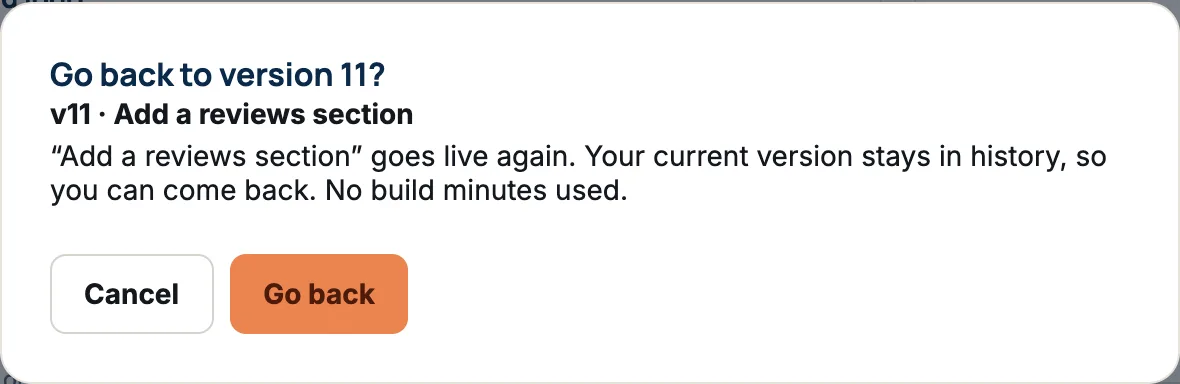
Your current version stays in history, so you can come back to it the same way. Press Show older versions to see more.
How far back you can go
Each publish is kept for a number of days set by your plan, and the live version is always kept.
| Plan | Versions kept for |
|---|---|
| Starter (Free) | 7 days |
| Growth | 30 days |
| Growth Pro | 90 days |
| Business | 1 year |
| Enterprise | Unlimited |
If something goes wrong
- “That version is already live.” Nothing to do.
- “That version isn’t kept any more.” It’s older than your plan keeps.
- “That version predates a security fix to your storefront, so it can’t be restored.” We updated every shop for safety after that version. Pick a newer one, or describe the look you want in the studio.
Questions
Will going back undo my new products or prices?
No. Versions hold your design. Your catalogue, prices, stock and orders are always the current ones.
Does going back use my AI allowance or build minutes?
No. Going back to an older version never uses build minutes or AI requests.
Can a manager go back to a version?
No. Managers can see the version history, but only the store owner can change the live site.
Did this answer your question?