

Publish your storefront
Updated 20 October 2026 · OwnersPublishing puts your draft live for shoppers. Before it goes live, we check your whole site, and if anything would break shopping, the publish stops and your live site stays as it was.
Two kinds of change
- Design changes you make in the studio (colours, layout, words) go live when you press Publish in the studio.
- Catalogue changes (new products, prices, stock, collections) go live with the next automatic publish, which happens on a schedule. You can also send them sooner with Publish now.
Publish your design
- In the studio, press Publish at the top right. Before your very first publish it says Publish site.
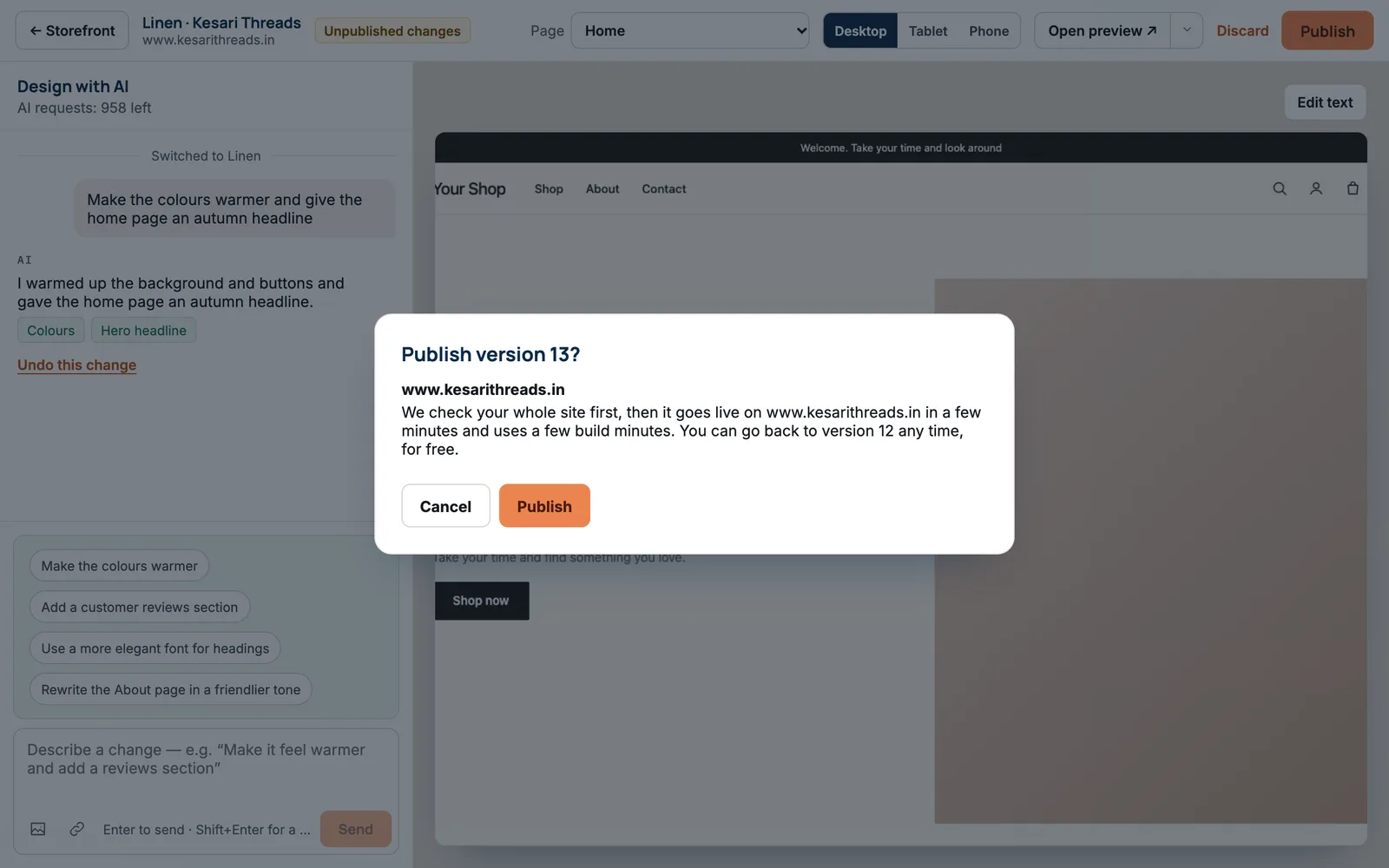
- You’re asked “Publish version 13?” (the number is your next version). It tells you the address it goes live on.
- Press Publish.
- A progress bar shows Building your site…, then Checking your site…, then Checking it went live…. It takes a few minutes. The studio takes no changes while this runs.
How the publish ends
| You see | What it means | What to do |
|---|---|---|
| “Version 13 is live” | It passed every check and shoppers see it now. | Nothing. Open your site to look. |
| “Version 13 is live, with suggestions” | It passed every safety check and is live. We list a few things that would make it better, such as a slow page. | Optional: ask the AI to fix the suggestions, then publish again. |
| “Version 13 wasn’t published” | Something would have stopped shoppers buying, so it didn’t go live. The reason is written in plain words. | Fix it in the chat, or press Publish everything before this change if offered. |
| “We put version 12 back” | It went live but then failed a check, for example the checkout broke. We put your previous version back. | Nothing; we’re fixing it. Your shop keeps selling on the previous version. |
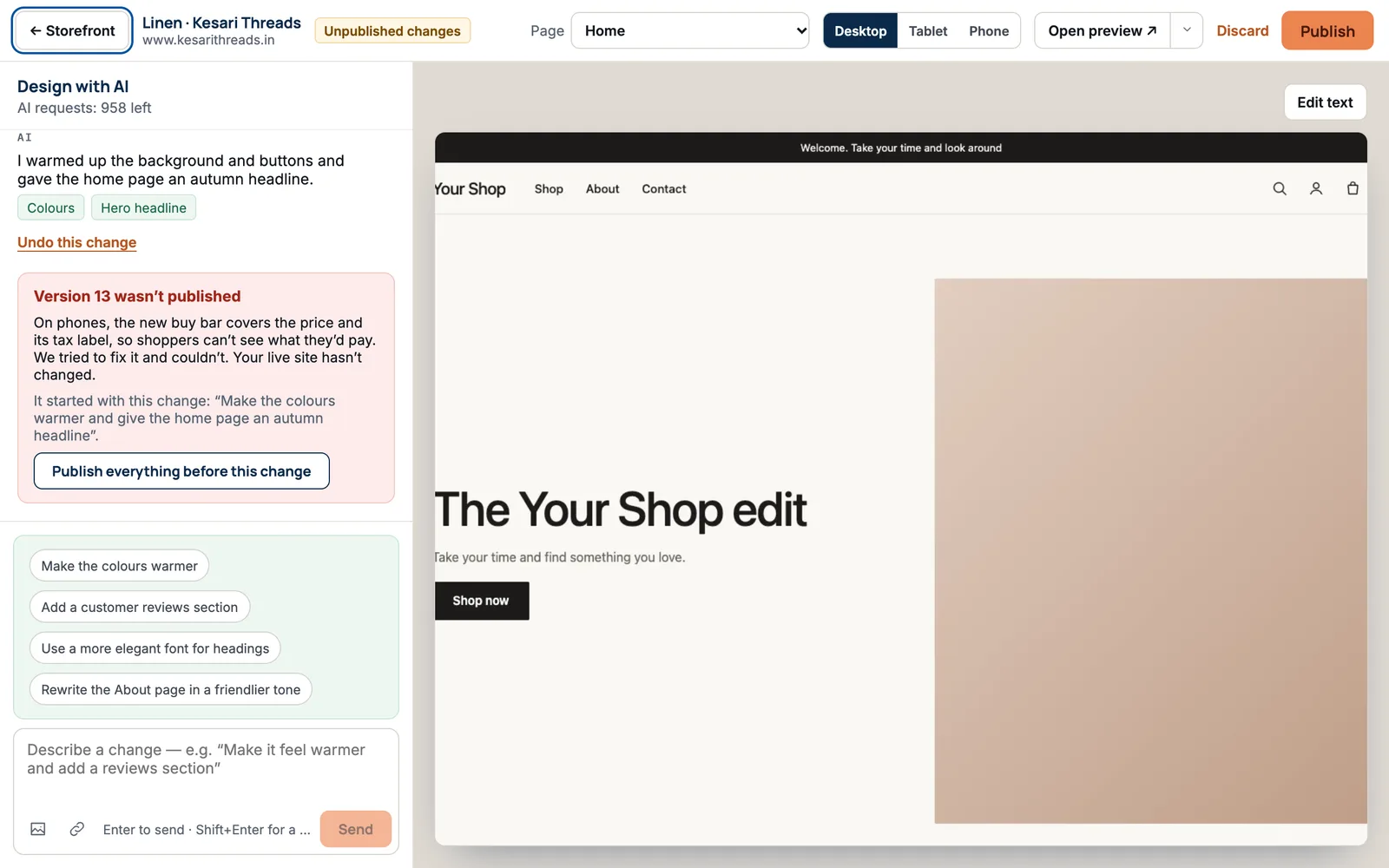
When one request caused the problem, the notice says “It started with this change” and quotes it. Publish everything before this change publishes your other changes without that one.
Send catalogue changes live sooner
On the Storefront page, under Design, a bar appears when products or other catalogue details have changed since your last publish. For example: “12 products changed since 12 Oct. 7 of 10 “Publish now” presses left this month. Next automatic publish: 14:40.”
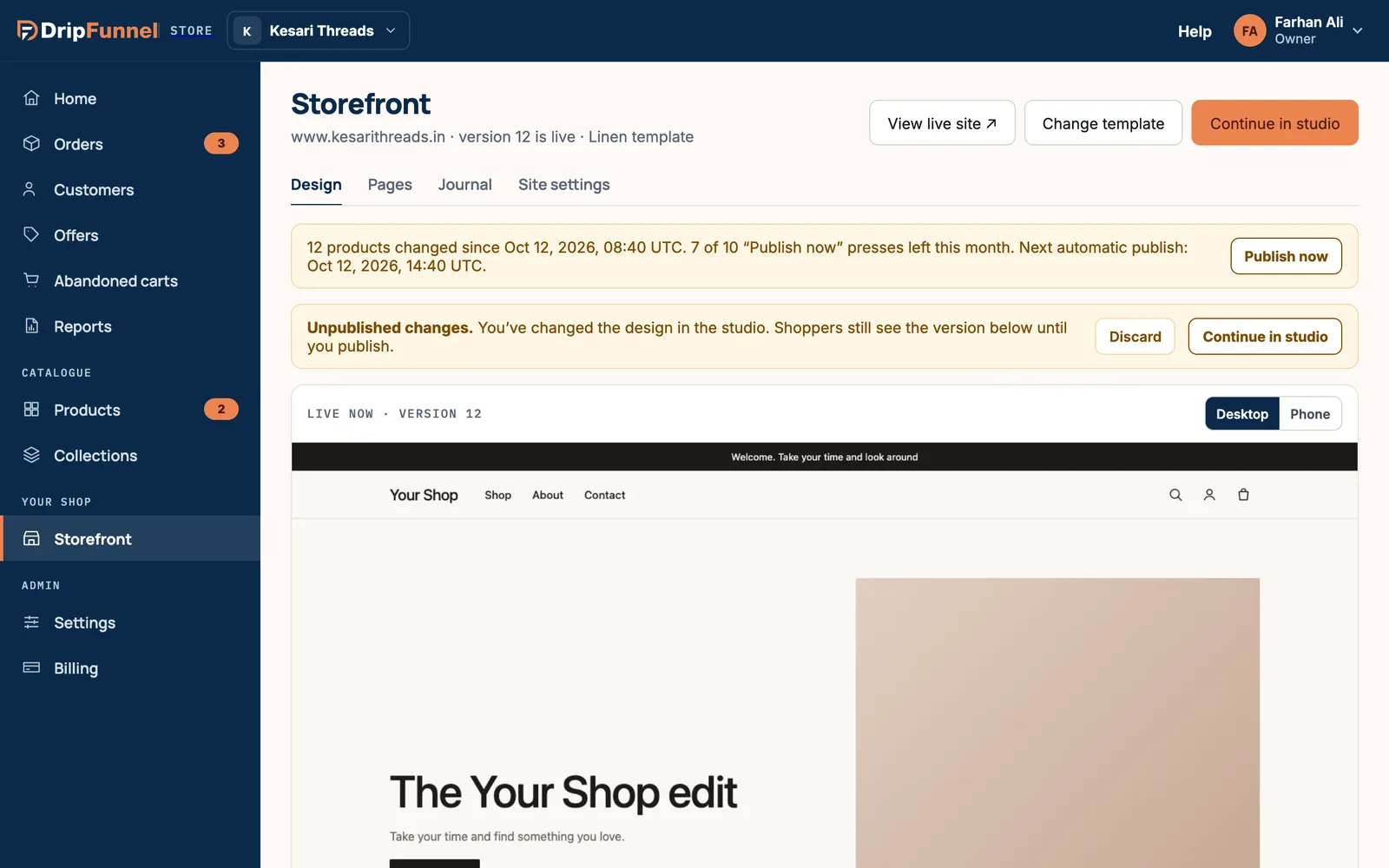
- Press Publish now. It says Publishing… while it works.
- When it’s done you see “Your catalogue changes are live”.
Each plan has a number of Publish now presses a month. When they run out, your changes still go live with the next automatic publish, so nothing is lost.
If something goes wrong
- “There are no changes to publish.” Your draft is the same as your live site.
- “Wait for the publish in progress to finish.” Another publish is still running. Try again in a few minutes.
- “Publish your design first.” Publish now only works once your site has been published at least once.
- “That publish didn’t go live. Your site hasn’t changed.” Try again later; your shop keeps selling.
- “We couldn’t read how your publish is going.” Press Check again. The studio waits so nothing changes underneath.
Questions
Does publishing cost anything?
It uses a few build minutes from your plan’s monthly amount, shown in Storefront › Site settings › AI and build minutes. Going back to an older version never uses build minutes.
Is my shop offline while it publishes?
No. Shoppers keep using your current site until the new version has passed its checks.
Why don’t my new products show on my shop yet?
Catalogue changes go live with the next automatic publish. The bar on the Storefront page shows when that is. Press Publish now to send them sooner.
Can I undo a publish?
Yes. Go to Storefront › Site settings › Version history and press Go back to this on the earlier version. See Go back to an earlier version.