

How your shop looks in Google and when shared
Updated 20 October 2026 · OwnersYou choose the title, description and picture that Google shows for your shop and that appear when someone shares your link on WhatsApp, Facebook or elsewhere.
Your home page in Google and when shared
- In the portal, open Storefront and choose the Site settings tab.
- Find Search and sharing.
- Page title: what Google shows as the blue link. Keep it under 60 characters. Your shop name and what you sell work well, for example “Kesari Threads — Handloom clothes from Jaipur”.
- Description: the line or two under the title. Keep it under 155 characters. Say what you sell and why shoppers should pick you.
- Share image: pick one of your product photos. It’s shown at 1200 × 630 pixels when your link is shared.
- Check the two previews: In Google and When shared.
- Press Save. You see “Saved — search engines pick it up within a few days. No publish needed.”
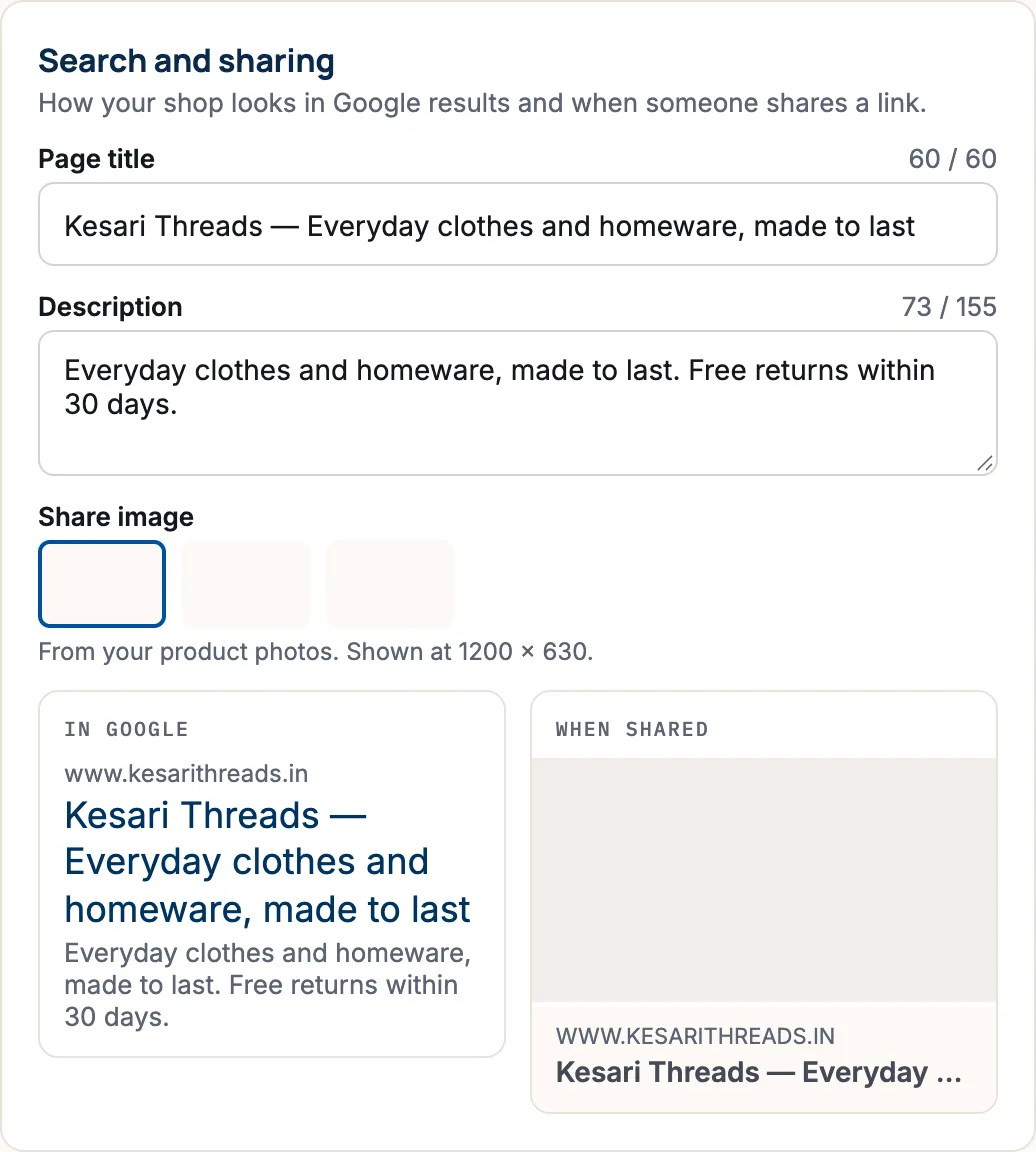
If a counter says too long, the Save button stays greyed out until you shorten the text. With no product photos yet, you see “Add product photos to pick a share image.”
Each product in Google
Open a product and the Search engine listing section. Its title (up to 70 characters) and description (up to 160) start as the product’s name and description; change them if you like. See Add a product.
Each page in Google
When you edit a page or Journal post, use How it looks in search to set its Title in search and Description. See Add pages and journal posts.
Tips
- Write for people, not for search engines. A clear, honest description gets more clicks.
- Use the words shoppers would type, like “handloom saree” rather than only your brand name.
- Changes reach Google within a few days, not instantly. Google decides when to look again.
Questions
Do I need to publish after changing these?
No. Search and sharing details save straight away. Search engines pick them up within a few days.
Why does WhatsApp still show my old picture?
Apps keep a copy of link previews for a while. New shares of the link show the new picture once the app refreshes its copy.
Can a manager change these?
No. Only the store owner can change storefront settings.