

Handle a return
Updated 20 October 2026 · Owners and managersWhen a shopper wants to send items back, start a return on the order. You mark it received when the parcel arrives, then refund the items in one step.
Before you start
- Only items that have shipped can be returned.
- Shoppers can’t start a return from your shop themselves. They contact you, and you start it in the portal.
- DripFunnel doesn’t make a return label. Agree with the shopper how the parcel comes back.
Start a return
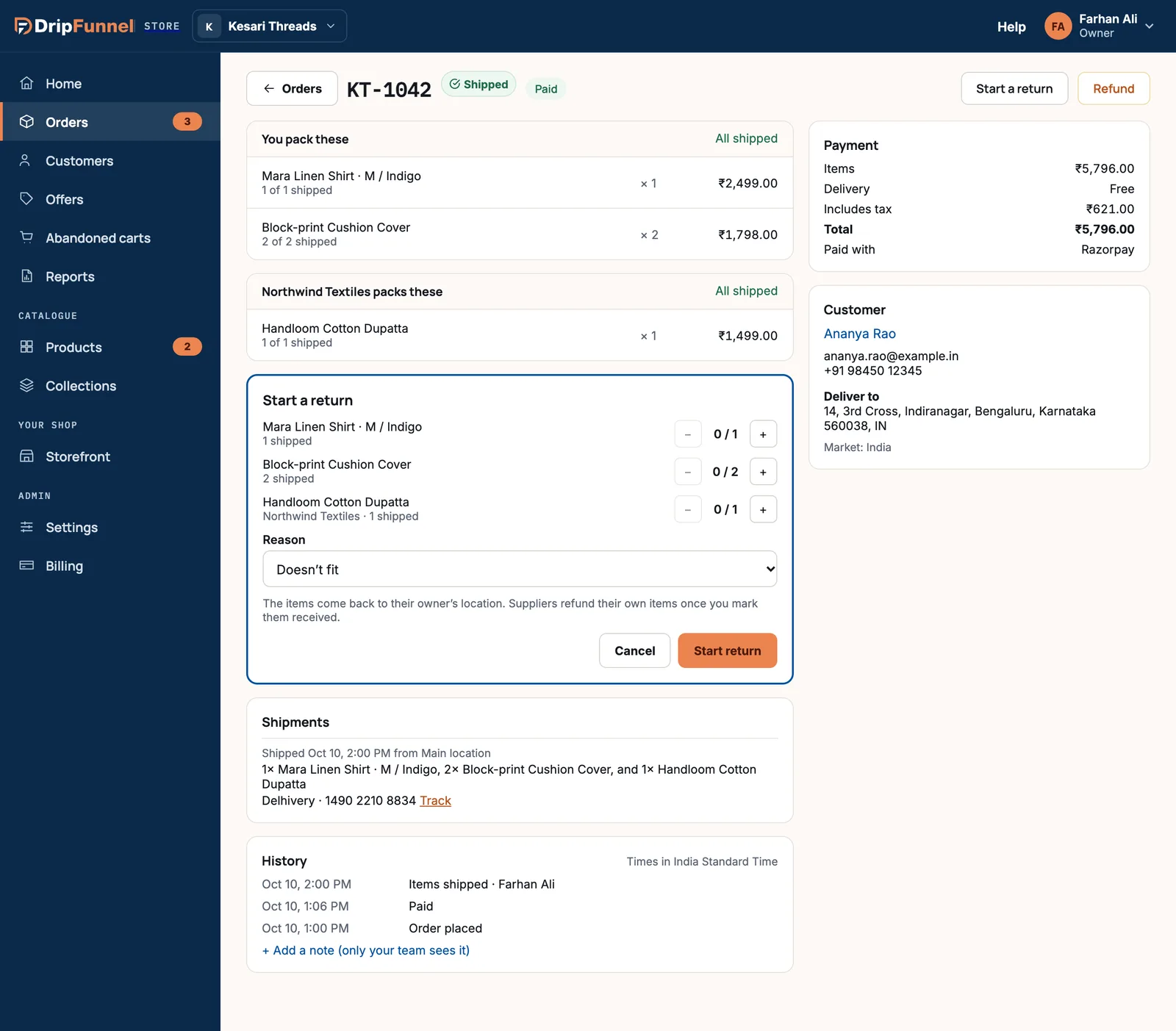
- Open the order and press Start a return.
- Press + next to each item coming back.
- Choose a Reason: Doesn’t fit, Changed their mind, Damaged in transit, Wrong item sent or Not as described.
- Press Start return.
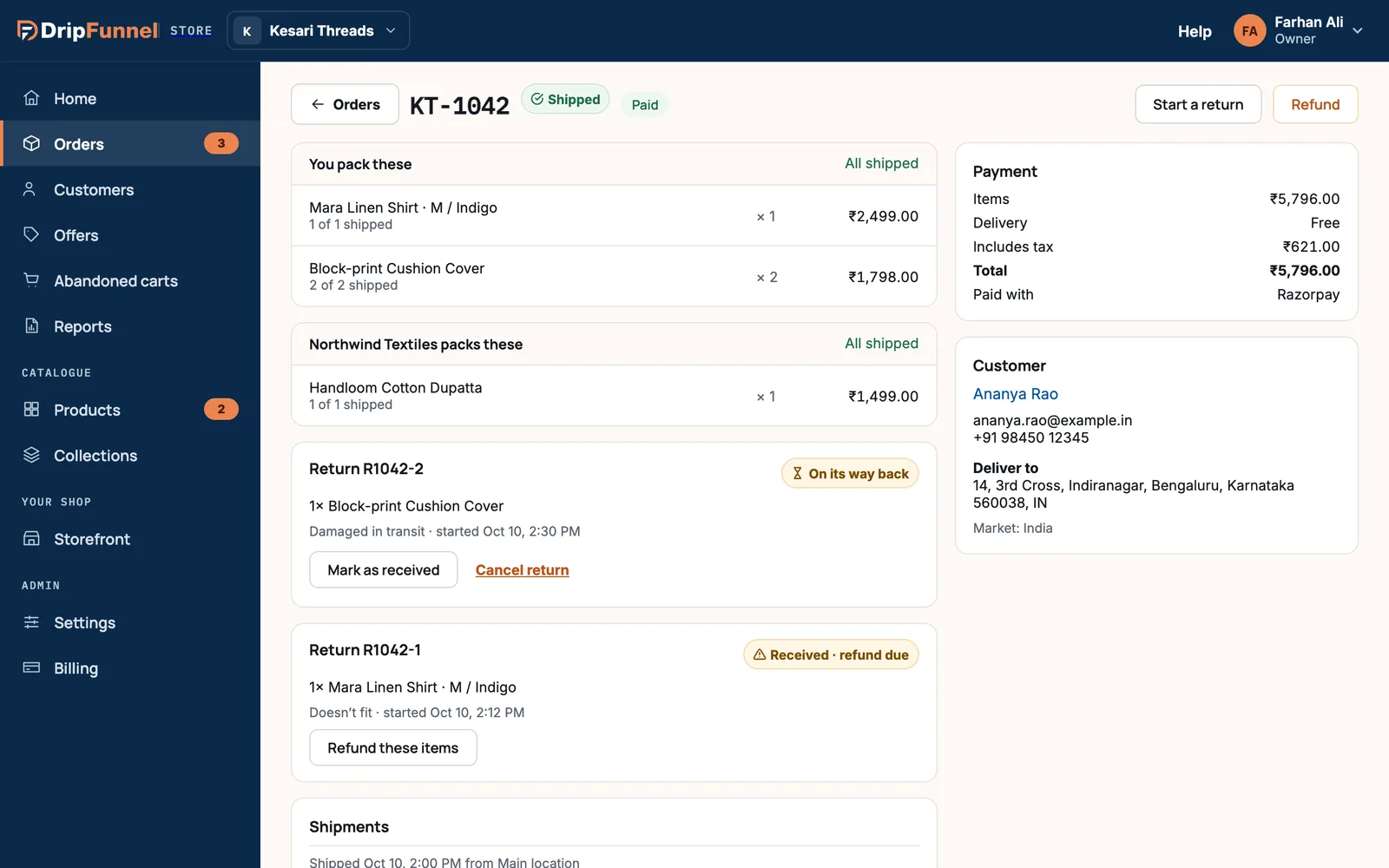
A card called Return R… appears on the order with the status On its way back. The items come back to the location they were shipped from.
When the parcel arrives
- Open the order and find the return card.
- Check the items, then press Mark as received. The status changes to Received · refund due.
- Press Refund these items. The refund form opens with the returned items picked, the reason set to Returned by shopper and Put the picked items back in stock ticked.
- Check it and press Refund the picked items. See Refund all or part of an order for the details.
If the shopper keeps the items
Press Cancel return while it’s still on its way back, then Cancel return again to confirm. Nothing is refunded, and the items can still be returned later.
Returns with a supplier’s items
If some returned items belong to a supplier, they go back to the supplier’s location. Once you mark the return received, the supplier refunds their own items.
Return statuses
| Status | Meaning |
|---|---|
| On its way back | Started; you’re waiting for the parcel. |
| Received · refund due | The items arrived; refund them next. |
| Refunded | Done. |
| Cancelled | The shopper kept the items; nothing was refunded. |
Questions
Does the shopper get an email when I start a return?
No. Tell the shopper yourself how to send the parcel back.
Can staff handle returns?
Staff see the Start a return button greyed out. Only owners and managers can start, receive or refund a return.
Can I refund before the items arrive?
Yes, with Refund on the order. But marking the return received first makes sure you only refund what actually came back.