

Cancel an order
Updated 20 October 2026 · Owners, managers and staffCancel an order before anything has been sent, for example when an item is out of stock or the shopper changes their mind. A paid order is refunded in full and the items go back in stock.
When you can cancel
- Nothing in the order has shipped or been sent to you by a supplier yet. Once something has shipped, the Cancel order button disappears; start a return instead.
- The order isn’t already cancelled or fully refunded.
Cancel an order
- Open the order and press Cancel order at the top.
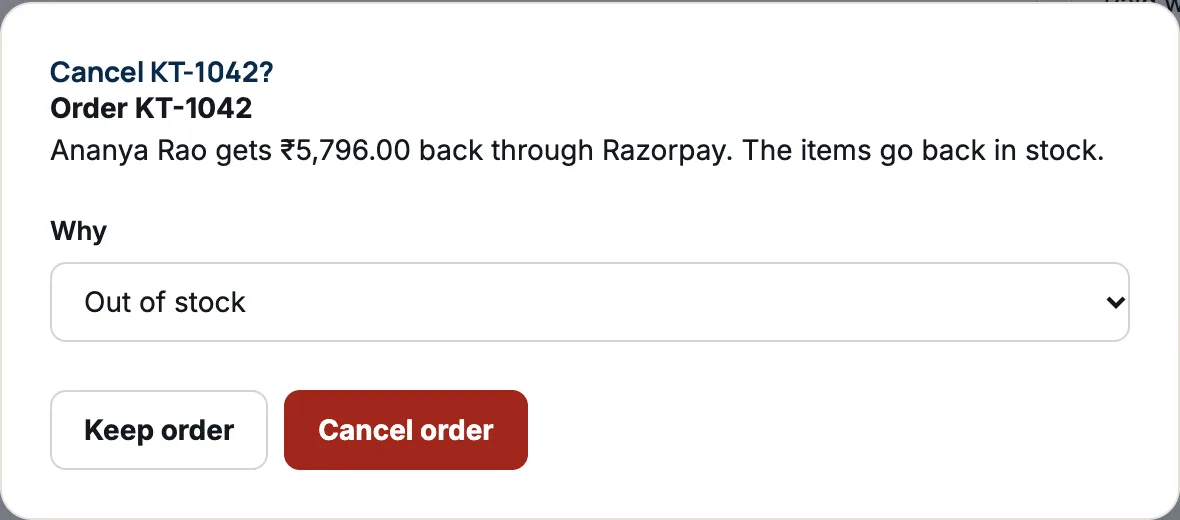
- Read the message. It tells you what happens to the money: either the shopper “gets … back through …”, or “Nothing has been paid, so nothing is refunded.”
- Under Why, choose Out of stock, Shopper asked or Looks like fraud.
- Press Cancel order. To leave it as it is, press Keep order.
What happens next
- The order shows Cancelled, and the reason and your name are added to its history.
- Every item goes back in stock.
- A card or online payment is refunded in full automatically. For cash on delivery nothing was paid, so nothing is refunded.
- The shopper doesn’t get a cancellation email from DripFunnel. Let them know yourself.
Staff can cancel orders, and cancelling a paid order refunds it in full. Make sure your team knows when to cancel and when to ask an owner or manager.
Orders cancelled automatically
A bank transfer order that isn’t paid within 3 days is cancelled for you, with the reason “Transfer not paid in time”. See Accept bank transfers.
Questions
Can I cancel just one item?
No: cancelling is for the whole order. To give back money for one item, ship the rest and refund that item, or refund its amount as goodwill.
Can I undo a cancellation?
No. Ask the shopper to order again.
Why can’t I see the Cancel order button?
Something has already shipped, the order is a test order, it’s already cancelled or refunded, or you’re a supplier. Suppliers can’t cancel orders.