

Ship an order and add tracking
Updated 20 October 2026 · Owners, managers, staff and suppliers who pack their own ordersWhen an order is paid, you pack it and mark it shipped. You can send the whole order at once, or part of it now and the rest later. The shopper gets an email each time.
Before you start
- You need at least one stock location (the place your stock sits). Owners add one under Settings › Warehouse. Without one you see Add a location under Products › Warehouses before you ship.
- Have the courier’s name and, ideally, the parcel’s tracking number: the code the courier gives you so the shopper can follow the parcel.
- The order must be paid, or be cash on delivery or a bank transfer. A card payment that is still going through can’t ship yet.
Ship an order
- Open Orders and press the To ship filter, or press Ship on the Home page.
- Open the order and press Ship items.
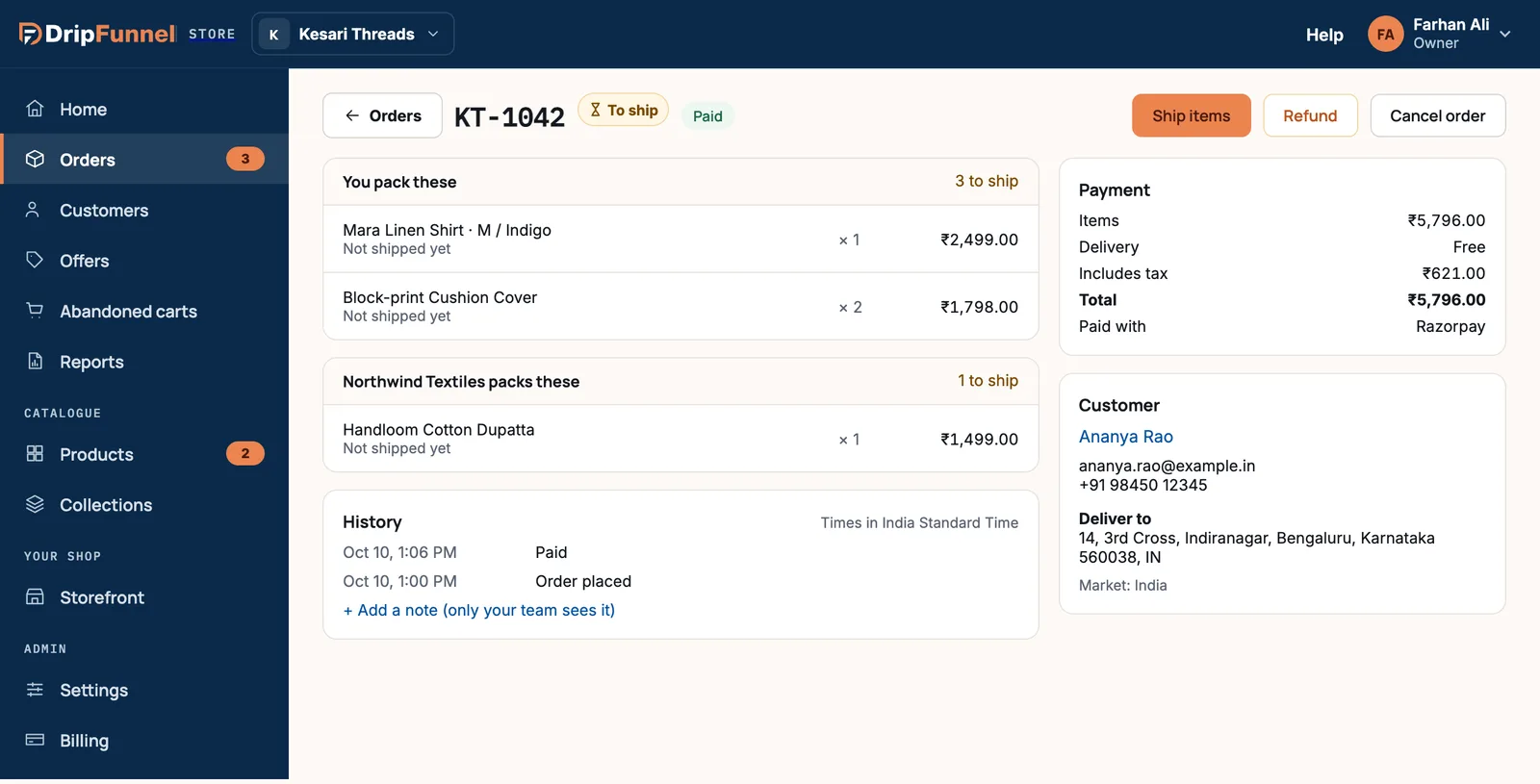
- Every item that hasn’t shipped yet starts selected, with a counter next to it like 1 / 1. To leave something for later, press − to lower its number.
- Under Ship from, choose the location the parcel leaves from. Your default location is already chosen.
- Under Courier, type the courier’s name, for example Delhivery or UPS.
- Under Tracking number, type or paste the tracking number. This is optional.
- Under Tracking link, paste the courier’s web page for this parcel, starting with https://. This is optional too.
- Press Mark as shipped.
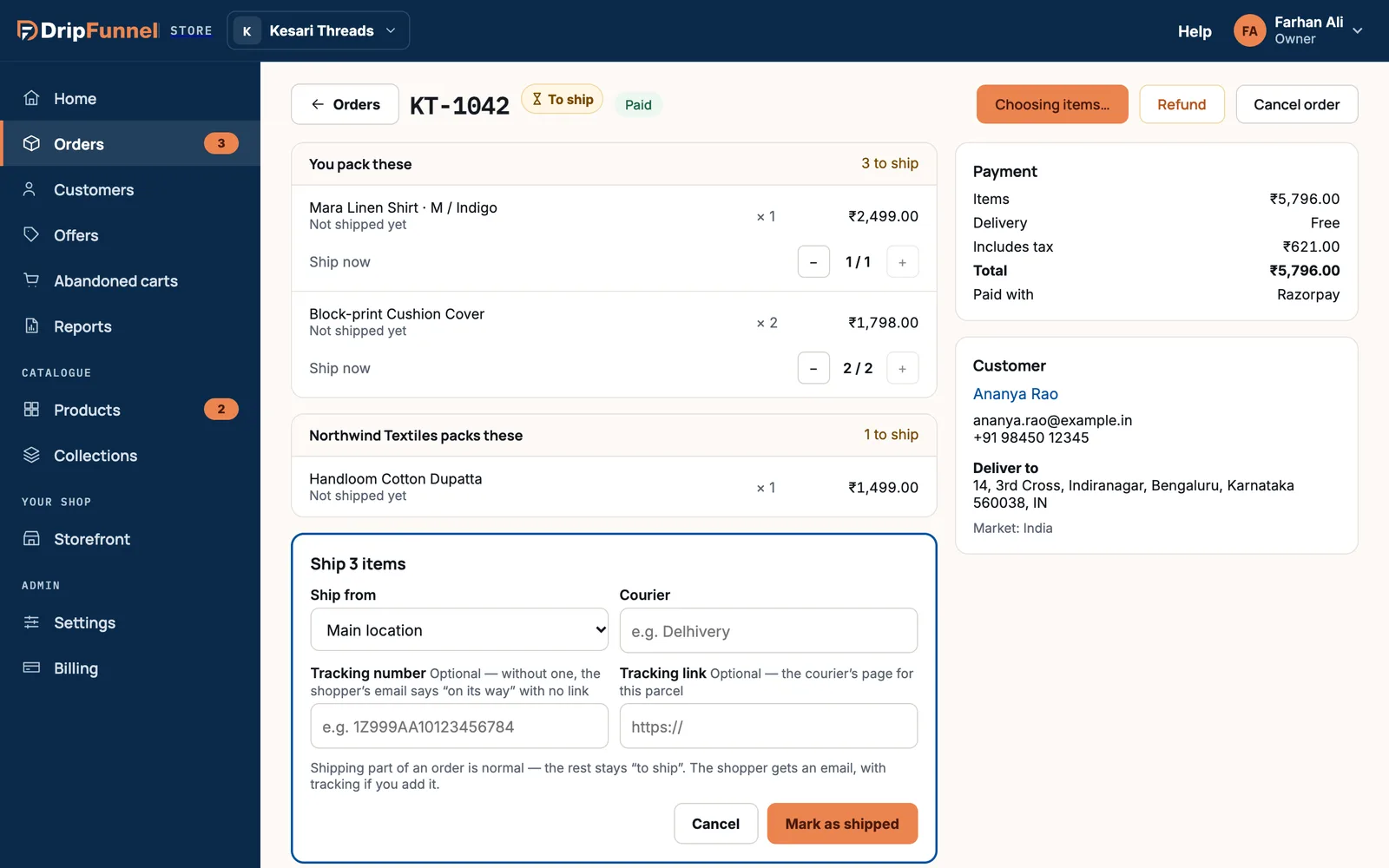
You see a message such as 3 items shipped — Ananya gets an email. The order moves to Shipped, or to Partly shipped if some items are left.
Ship part now and the rest later
Shipping part of an order is normal. Whatever you leave out stays to ship. When the rest is ready, open the order again, press Ship items, and the form offers only what’s left.
Add tracking after shipping
If you shipped without a tracking number, the Shipments card says No tracking yet.
- Press Add tracking next to that parcel.
- Type the Tracking number. Check the Courier, and paste the Tracking link if you have one.
- Press Save tracking. The shopper gets an email with the tracking.
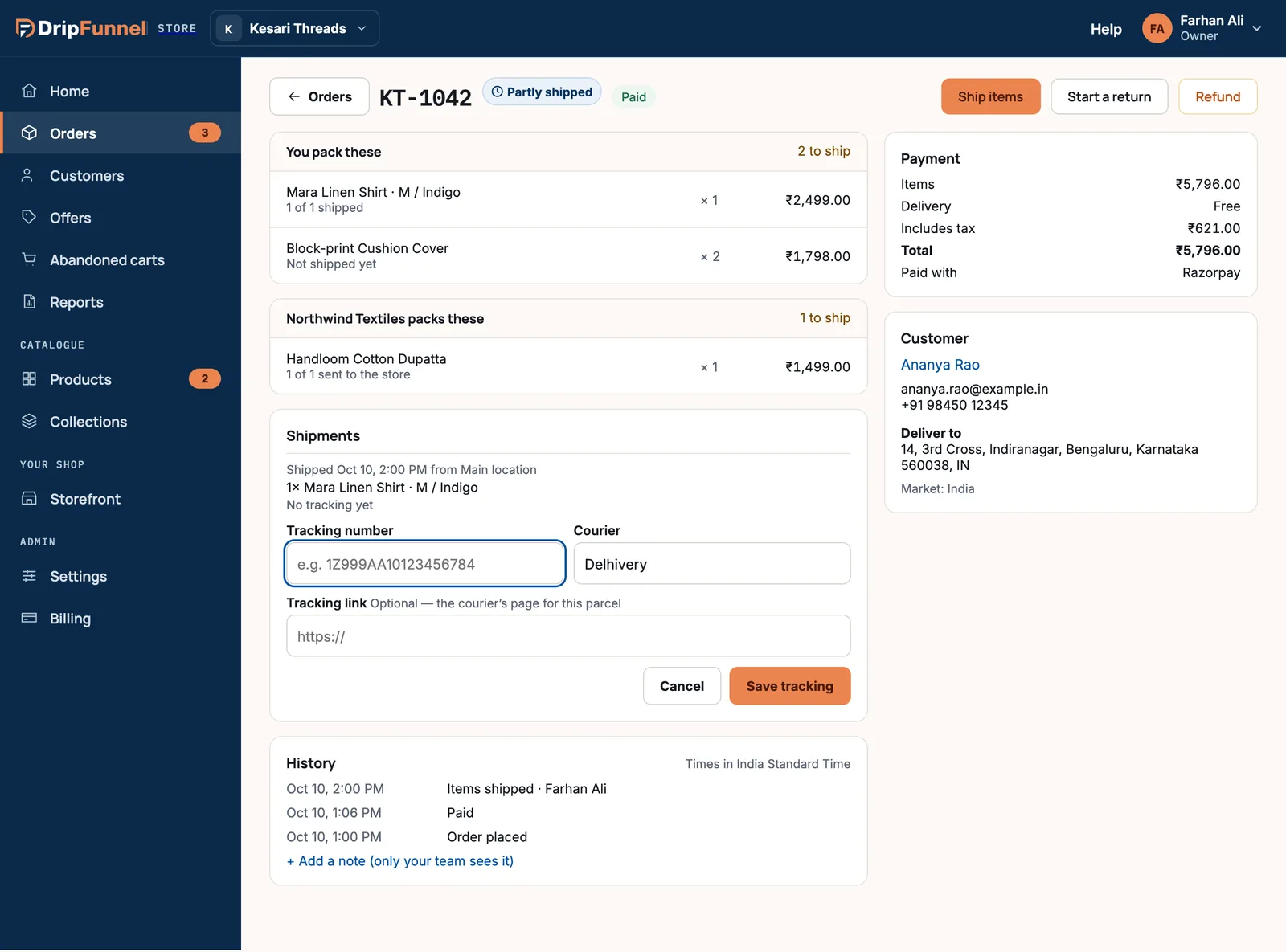
Check the number before you save: once a tracking number is saved, it can’t be changed from the order page.
Orders the shopper collects
If you offer collection (see Set delivery charges) and the shopper chose it, there are no courier boxes. Hand the order over, then press Mark as handed over.
Orders with a supplier’s items
Items from a supplier sit in their own card, such as “Northwind Textiles packs these”. A supplier who packs their own orders ships those items from their own portal. Depending on how they ship, they either send them to you (Mark as sent) for you to pass on, or straight to the shopper. You ship only the items in You pack these.
What the shopper gets
- An email titled “Your … order … is on its way”, listing the items in the parcel.
- With a tracking number, the email names the courier and number. With a tracking link, it has a Track your parcel button.
- Without a tracking number, the email just says the order is on its way.
If something goes wrong
| Message | What to do |
|---|---|
| Pick at least one item to ship. | Raise at least one counter above 0. |
| A tracking link starts with https:// | Paste the full link from the courier’s site. |
| Add the tracking number this link is for | A link needs its tracking number too. |
| This order can’t ship: it’s cancelled, a test, or still waiting for its card payment. | Wait a few minutes for the card payment, or check the order’s status. |
| That location hasn’t that many. | The location doesn’t have enough stock. Correct the stock or choose another location. |
| That’s more than is left. | Someone else shipped part of this order. Reload the page and try again. |
Questions
Can DripFunnel book the courier or print the label for me?
Not from the order page yet. Book the parcel with your courier as you do today, then type its name and tracking number when you mark the order shipped.
Can I mark an order as delivered?
No. Once shipped, an order stays Shipped. The shopper follows delivery with the tracking link.
Can staff ship orders?
Yes. Owners, managers and staff can ship and add tracking. Suppliers on the “their orders” access level ship only their own items.
I made a mistake and shipped too early. Can I undo it?
Shipping can’t be undone. If the parcel never left, add a note to the order so your team knows. If the shopper sends it back, use Handle a return.