

Offer cash on delivery
Updated 20 October 2026 · Owners turn it on; owners and managers mark orders paidCash on delivery lets shoppers pay when the parcel arrives, usually to the courier. It’s offered to stores in India. Orders stay “Payment pending” until you mark them paid.
Before you start
- Cash on delivery is offered to stores in India.
- Agree with your courier that they collect cash and pay it on to you.
- Only the store owner can turn it on or off.
Turn on cash on delivery
- Go to Settings › Payment setup.
- In Other ways to get paid, press Set up next to Cash on delivery.
- Read the note (your courier collects the money; orders stay “Payment pending” until you mark them paid) and press Turn on.
Cash on delivery now shows Live and shoppers can choose it at checkout. To stop offering it, press Turn off.
What happens when a shopper chooses it
- The order arrives straight away, marked Payment pending. The shopper’s confirmation email says “You pay … when it arrives.”
- You can ship it like any other order: see Ship an order.
- Home shows it under payment to collect until you mark it paid.
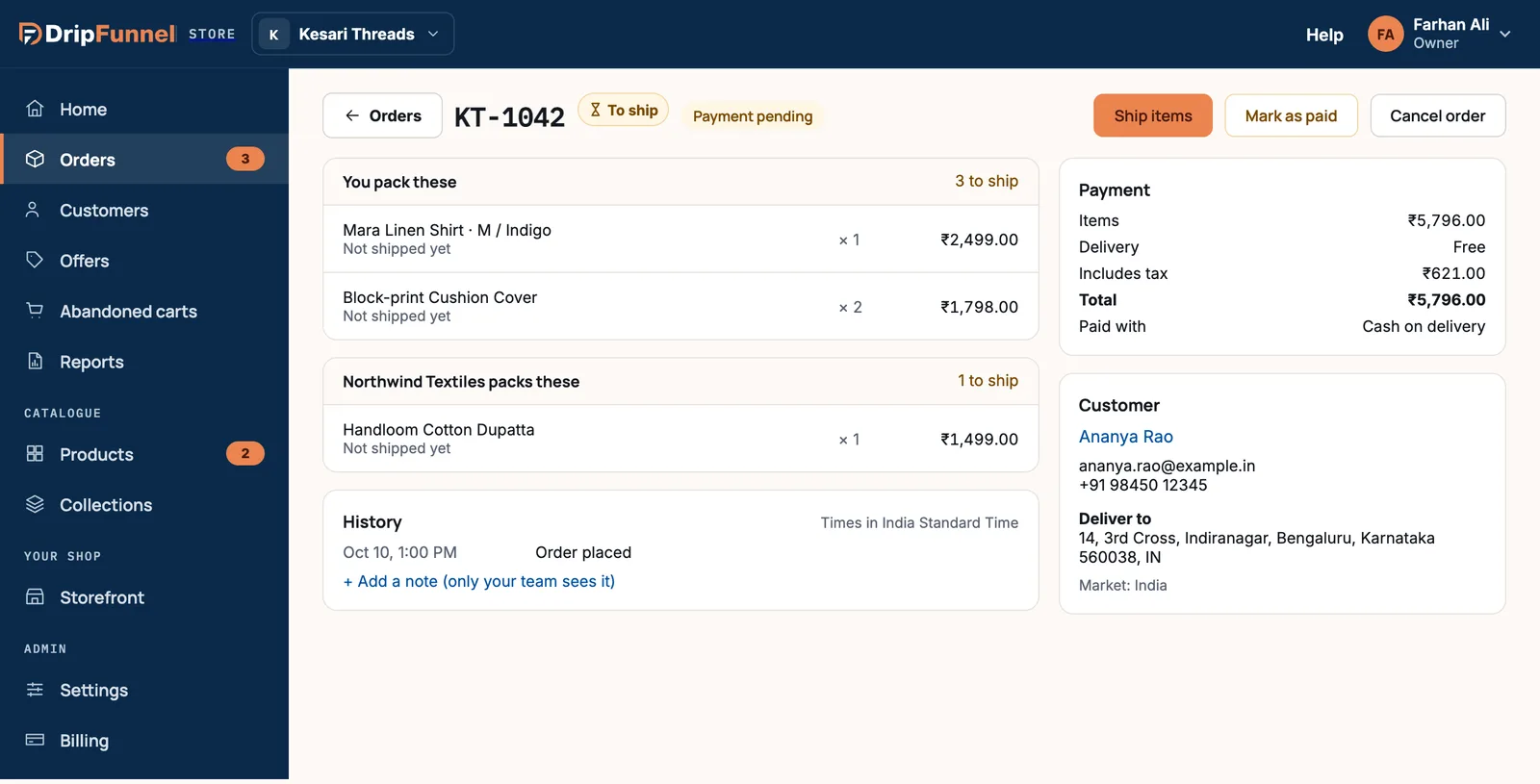
Mark the order paid
Do this only when the money has actually reached you, not when the parcel is delivered.
- Open the order, or press Review on Home’s payment to collect card. You can also use the Payment pending filter in Orders.
- Press Mark as paid.
- Check the amount and press Mark as paid to confirm, or Not yet.
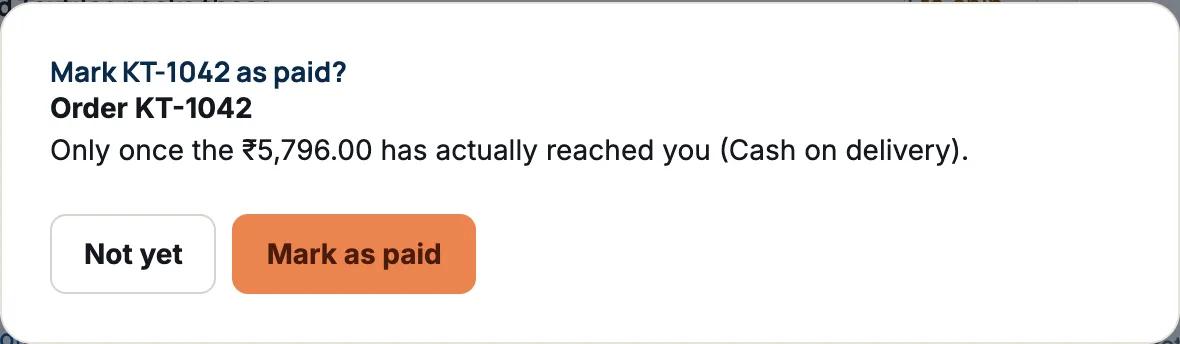
The order now shows Paid. Staff can’t mark orders paid; the button is greyed out for them.
Refunds on cash orders
There’s no card to refund to, so you give the money back yourself (for example by bank transfer) and record it with Refund on the order. See Refund all or part of an order.
Questions
What if the shopper refuses the parcel?
Leave the order unpaid. When the parcel comes back, start a return so the items go back in stock, or cancel the order if nothing was shipped.
Can I offer cash on delivery outside India?
Not at the moment. It’s offered to stores in India only.