

If a payment for your plan fails
Updated 20 October 2026 · OwnersIf a payment for your plan doesn’t go through, your store becomes view-only until it’s paid. Your shop stays online and nothing is lost. This guide explains what changes and how to fix it.
What you’ll see
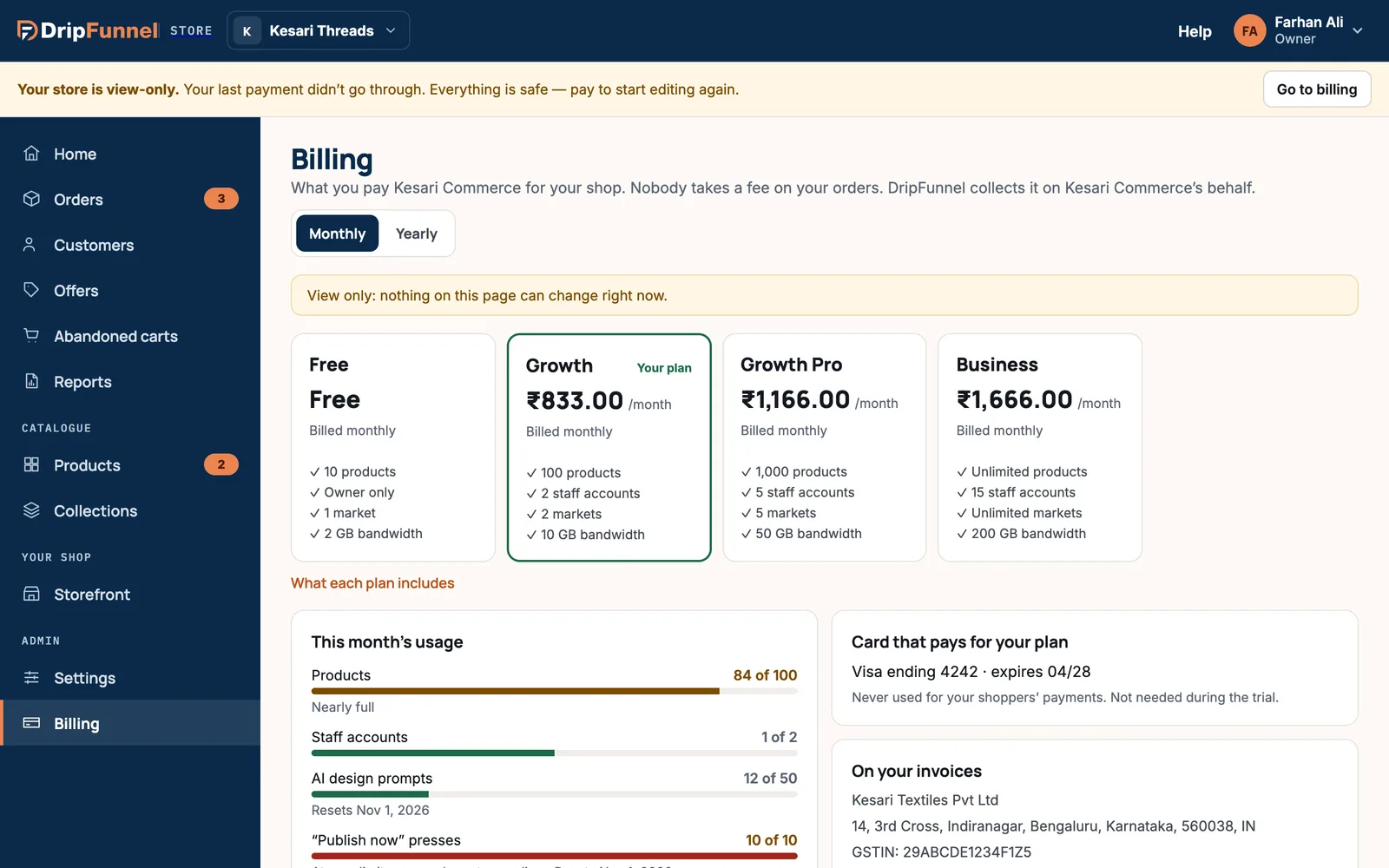
A yellow banner appears on every page for everyone in your store: “Your store is view-only. Your last payment didn’t go through. Everything is safe — pay to start editing again.” The owner also sees Go to billing. On Billing, the unpaid invoice shows as Due.
What still works and what doesn’t
| Still works | Paused until it’s paid |
|---|---|
| Your shop stays live and shoppers can browse it | Saving any change in the portal |
| Looking at orders, products, customers and settings | Shipping, refunding or editing orders |
| Reports and their exports | Sending cart reminders |
| The activity log and its export | Publishing the storefront |
How to fix it
- Check with your bank why the payment was declined, for example an expired card, a spending limit, or a block on online payments.
- Contact support with your store name. We’ll help you take the payment again or update the card that pays for your plan.
- Once the payment goes through, the banner disappears and you can edit again.
Paying an overdue invoice or changing your card isn’t available on the Billing page yet, which is why support helps you with it.
If it stays unpaid
If a payment stays unpaid for 14 days, the store is suspended. The banner reads “This store is suspended. Nothing can be changed and the shop shows a notice.” Contact support to sort it out. Your products, orders and customers are kept.
Questions
Will shoppers notice?
Not while the store is view-only: your shop stays online. If the store is later suspended, the shop shows a notice.
Is any of my data deleted?
No. Everything is kept. You simply can’t make changes until the payment goes through.
Can my team still ship orders?
Not while the store is view-only. Get the payment through as soon as you can so orders can be shipped.