

Group customers, like VIP or Wholesale
Updated 20 October 2026 · Owners, managers and staffA customer group is a list of customers you choose, like VIP or Wholesale. Groups let you give an offer to some customers only, for example 15% off for your VIP group.
Before you start
- Groups live on the Groups tab of Customers.
- You make a group first, then add people to it from each customer’s page.
- Giving a discount to a group is part of offers for groups, which are on Growth Pro and up. See Pricing.
Make a group
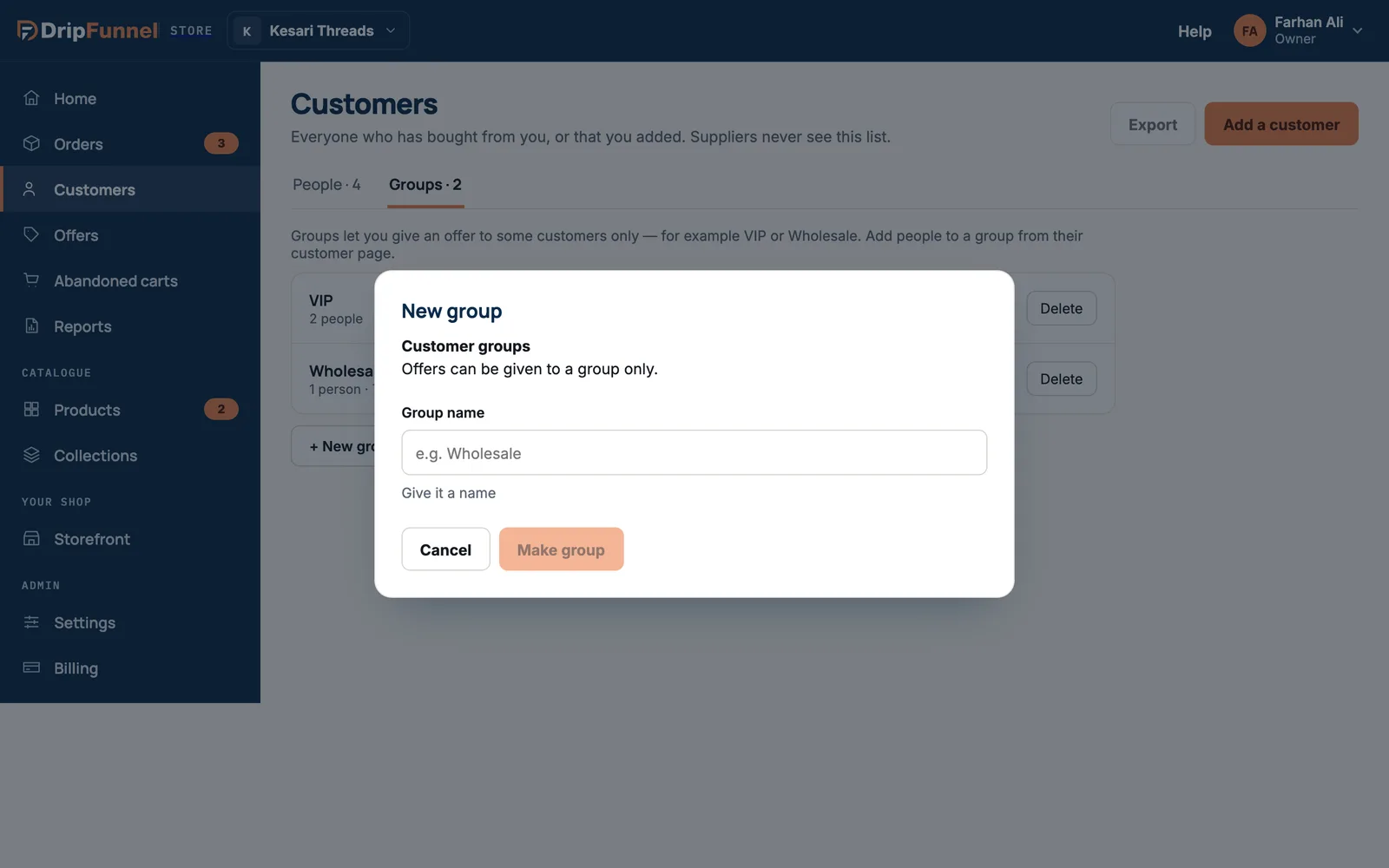
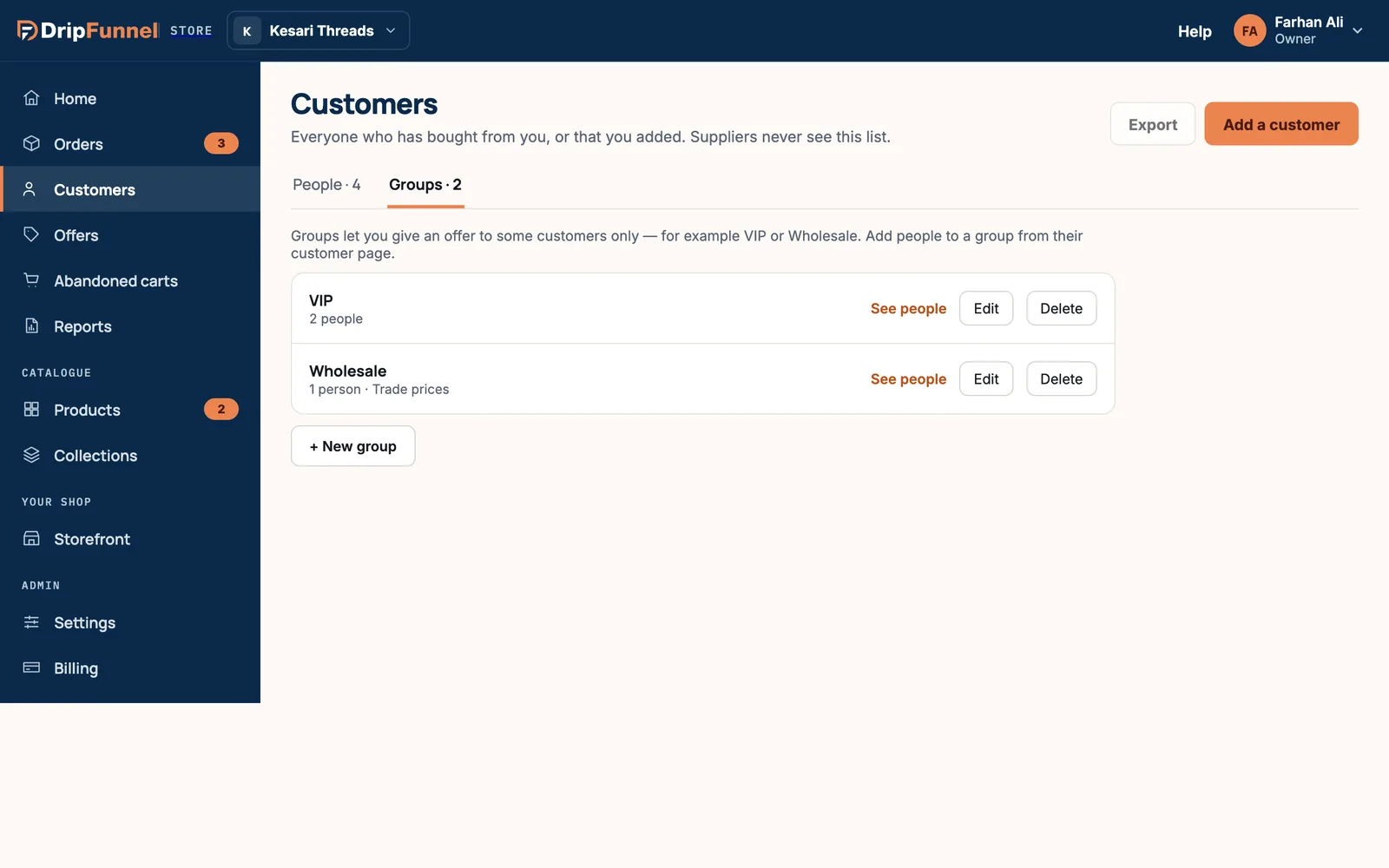
- Open Customers and choose the Groups tab.
- Press + New group.
- Type a Group name, for example Wholesale.
- Press Make group. You’ll see “Wholesale made — add people from their customer page”.
Add someone to a group
- Go to the People tab and open the customer.
- Under Groups, press the group with a + in front of it, for example + VIP.
- It turns into ✓ VIP. The message says the offers for that group apply to them from now on.
To take someone out of a group, press the group with the ✓ again. They leave the group, and its offers stop applying to them.
See, rename or delete a group
- See people shows everyone in the group on the People tab.
- Edit lets you rename the group.
- Delete removes the group. Everyone in it leaves the group, and offers for that group stop applying to them. The customers themselves are not deleted.
Give a group its own offer
- Open Offers and press Create offer.
- Pick the kind of offer, or the VIP 15% off recipe.
- In section 4. Who is it for?, choose Customer groups and pick the group.
- Save the offer. Only customers in that group get the discount, and they need to be signed in at checkout so the shop knows who they are.
The full steps are in Create a discount or offer.
Questions
Can a customer be in more than one group?
Yes. A customer can be in as many groups as you like, and offers for each of those groups apply to them.
Do customers know which group they’re in?
No. Groups are only visible to your team. Shoppers simply see the discount at checkout when an offer for their group applies.
Why didn’t a VIP customer get their discount?
Group offers need the shopper to be signed in, so the shop can see who they are. Check they were signed in, that they’re in the group (open them in Customers) and that the offer is live in Offers.
Can two groups have the same name?
No. Each group needs its own name. If you try to reuse one, you’ll see “You already have a group with that name.”