

See who changed what
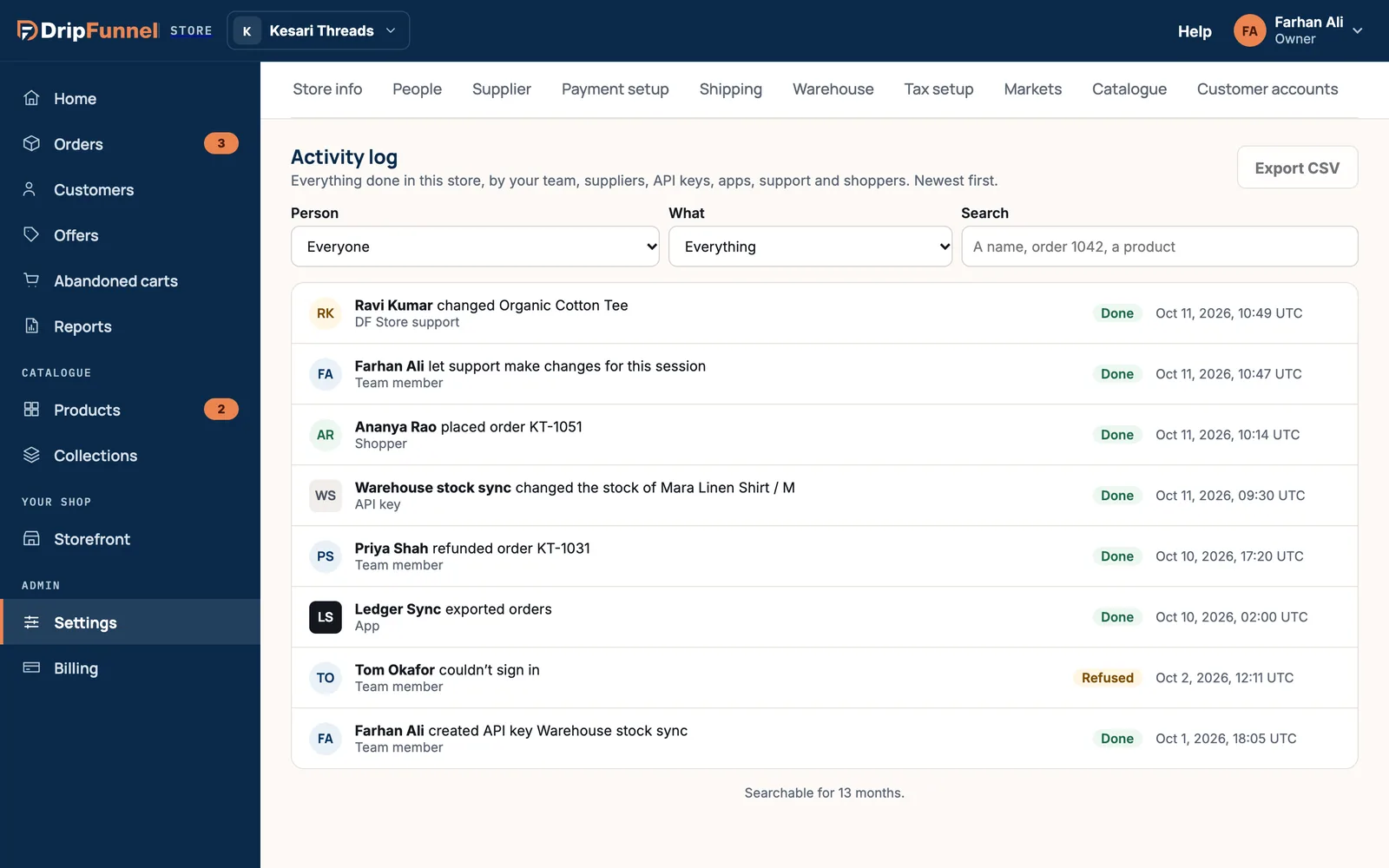
Updated 20 October 2026 · Owners and managersThe activity log records everything done in your store: by your team, suppliers, apps, API keys, support and shoppers, newest first. Use it to find out who changed a price, refunded an order or signed in.
Where to find it
- Owners: Settings › Activity log.
- Managers: Store activity, in the menu under your name at the top right.
- Staff can’t see the store’s log, but everyone can see their own actions in My profile › Your activity.
Find something
- Use Person to see everything one person, app or key did. A note says you’re showing everything by that person, with Everyone to clear it.
- Use What to narrow it to Products and stock, Orders and refunds, People and suppliers, Settings, keys and apps, Support sessions, Shopper accounts or Sign-ins.
- Use Search for a name, an order number or a product, such as “order 1042”.
The filters stay in the page’s address, so you can bookmark a view or share it with another owner.
Read an entry
Each line says who did what, what kind of person they are (for example Team member, Shopper, API key, App or support), whether it was Done, Refused or Failed, and when. Open a line to see more:
- each change, written as before → after, for example a price going from one amount to another;
- the reason, where one was given;
- whether it happened during a support session;
- links to everything by the same person and to the product or order it was about.
Export the log
Owners can press Export CSV to download the entries that match the current filters, up to 10,000 at a time. The download link works for an hour. Managers see the button greyed out, with Only the store owner can export.
How far back it goes
Press Show older to load more, 50 at a time. Entries can be searched for 13 months. After that they are archived and kept for 7 years.
Questions
Can staff see what others did?
No. Staff can only see their own actions, in My profile › Your activity. Owners and managers see the whole store.
Are shoppers’ actions in the log?
Yes, for things like placing an order or managing their account. Use the What filter to show Shopper accounts.
Does the log still work if my bill is unpaid?
Yes. When your store is view-only, the log and its export still work.
Can anyone delete entries?
No. Nobody can edit or delete activity log entries from the portal.