

Let support look at your store
Updated 20 October 2026 · OwnersWhen you ask for help, our support team may need to see what you see. Support access lets them open a short, read-only session in your store. It’s on unless you switch it off, and every session is logged.
Where to find it
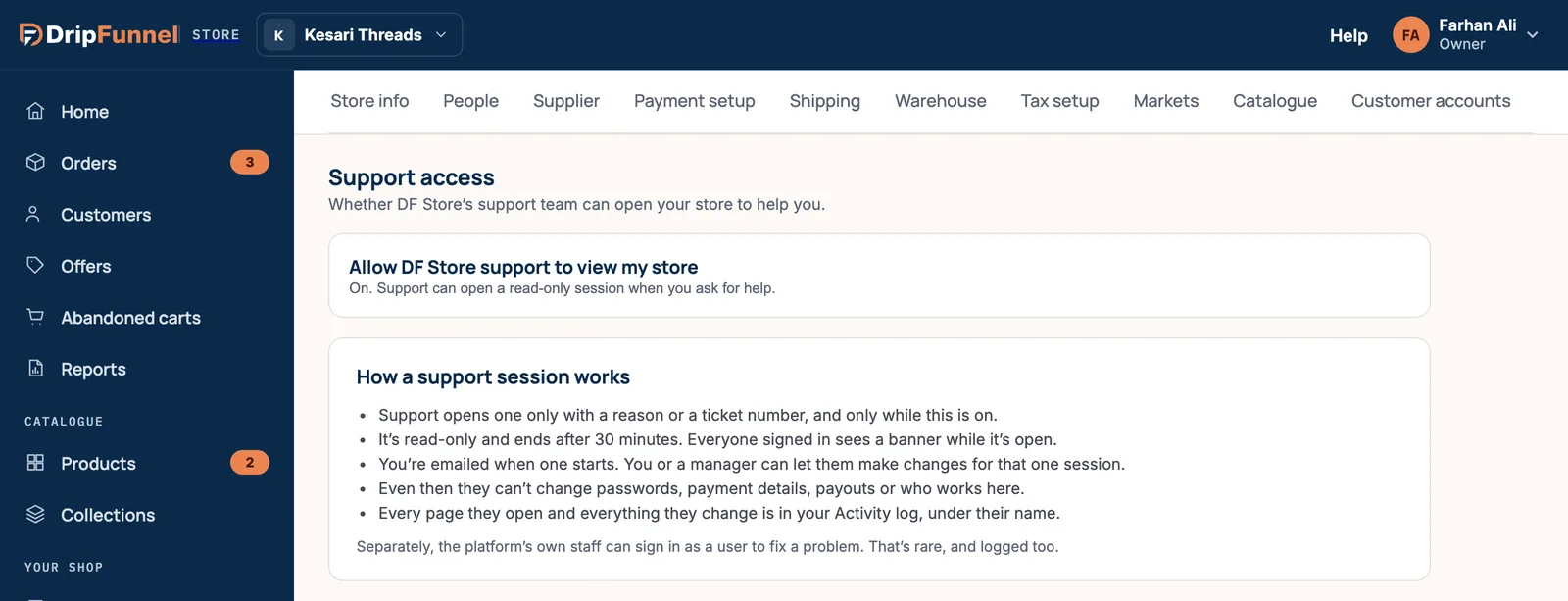
Open Settings and choose the Support access tab. The switch at the top lets support open your store, and it’s on to start with.
How a support session works
- Support opens one only with a reason or a ticket number, and only while the switch is on.
- It’s read-only and ends after 30 minutes. Everyone signed in to your store sees a banner while it’s open, saying who is viewing and when the session ends.
- You’re emailed when one starts.
- Support can’t change passwords, payment details, payouts or who works in your store.
- Every page they open is in your activity log, under their name.
The tab also says that you or a manager can let support make changes for one session. There’s no button for that in the portal yet, so today support sessions are read-only: support looks, and tells you what to change.
Turn support access off
- Switch off the setting at the top of the tab.
- Confirm in the Turn off support access? dialog.
Turning it off ends any session that’s open straight away. While it’s off, support can only ask you to switch it back on. You can still change this setting even if your store is view-only because of an unpaid bill.
See past sessions
The Support access log further down the tab lists the sessions from the last 90 days, with Who opened it, Why, When and how long, and Changes. Press Show older for more.
Separately, in rare cases the platform’s own staff can sign in as a user to fix a problem. That is logged too.
Questions
Can support see my customers’ card numbers?
No. Full card numbers are never shown in the portal, to anyone. Support sees what you would see, read-only.
How do I know a session is happening?
You get an email when it starts, and a banner shows at the top of the portal for everyone signed in until it ends.
Should I leave support access on?
Leaving it on means support can look straight away when you ask for help. Sessions are read-only, end after 30 minutes and are logged. You can switch it off at any time.